
Oct 16, 2026Buying Guides
UPS Parallel and Redundant Configurations: When One Unit Isn't Enough
Parallel and redundant UPS setups buy availability, not just runtime. Here is how N+1, N+X, and capacity paralleling actually work — and when a second unit is worth the cost.
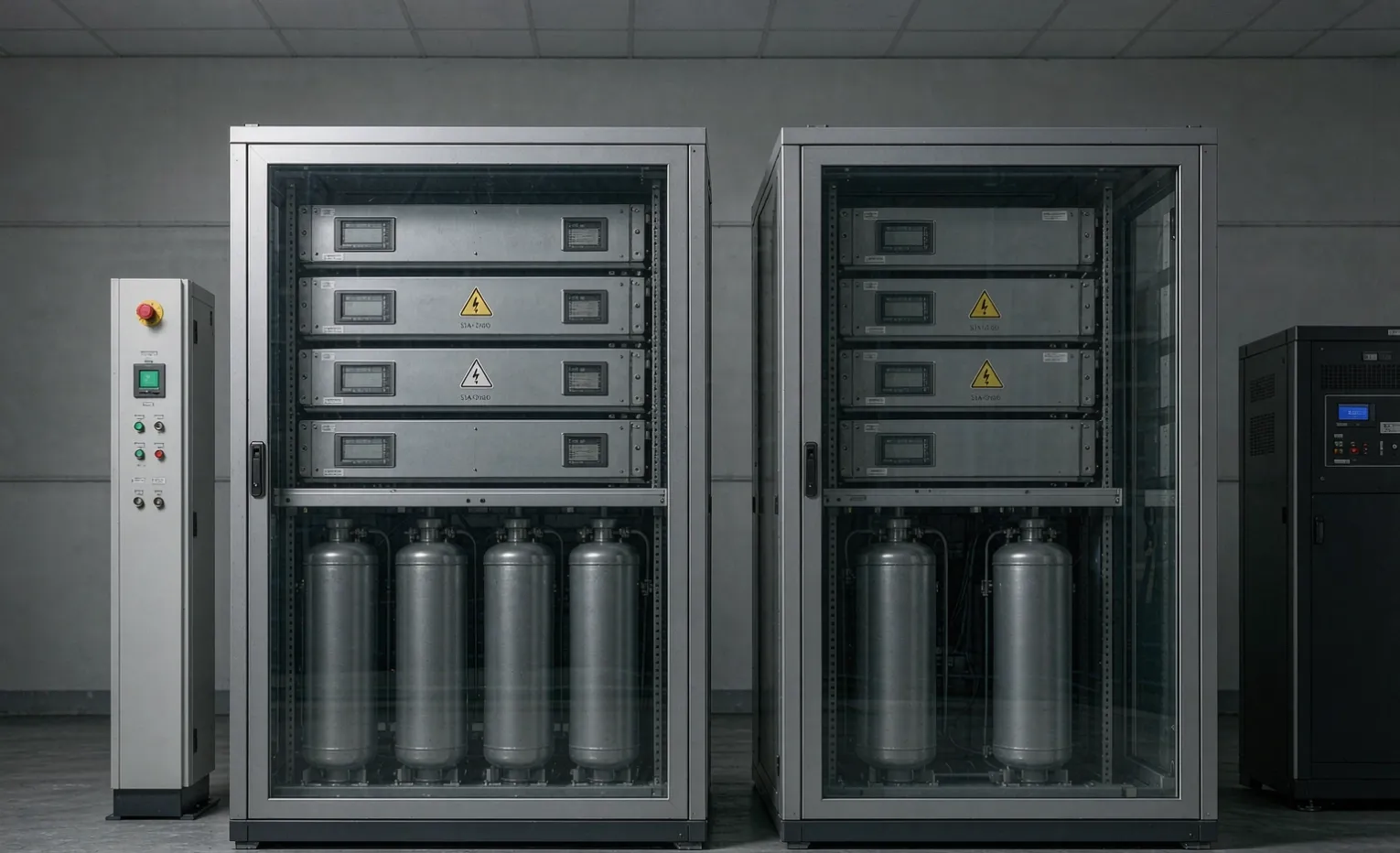
Why a second UPS ever enters the conversation
I get a version of this call more often than you'd think: a single UPS failed, it took a production line or a server rack down with it, and now someone wants "two of them so it never happens again." That instinct is half right. The other half is that adding a unit changes the topology in ways most quotes never spell out, and a badly planned pair can still have a single point of failure you paid double to keep.
This is a buyer's guide to what parallel and redundant UPS configurations actually do, the three topologies people specify, and the one question that decides whether the second unit is money well spent.
Buyer Decision: A second UPS buys availability, not more runtime. If your problem is runtime, add battery. If your problem is "the unit itself failed," you need redundancy.
"Parallel" and "redundant" are two different jobs.
The words get used interchangeably, and that confusion is where bad specs start.
Capacity parallel—you need more watts.
Two or more units share a load they couldn't each carry alone. If one 10 kVA unit isn't enough, you parallel two 10 kVA units to feed a 16 kVA load with some headroom. The second unit here is about power, not backup.
Redundant (N+1, N+X)—you need the load to survive a failure.
Here N is the number of units required to carry the load, and +1 (or +X) is the spare that carries on if one trips, goes to maintenance, or dies. The second unit here is about survival. This is the answer to the "it failed and took the line down" call.
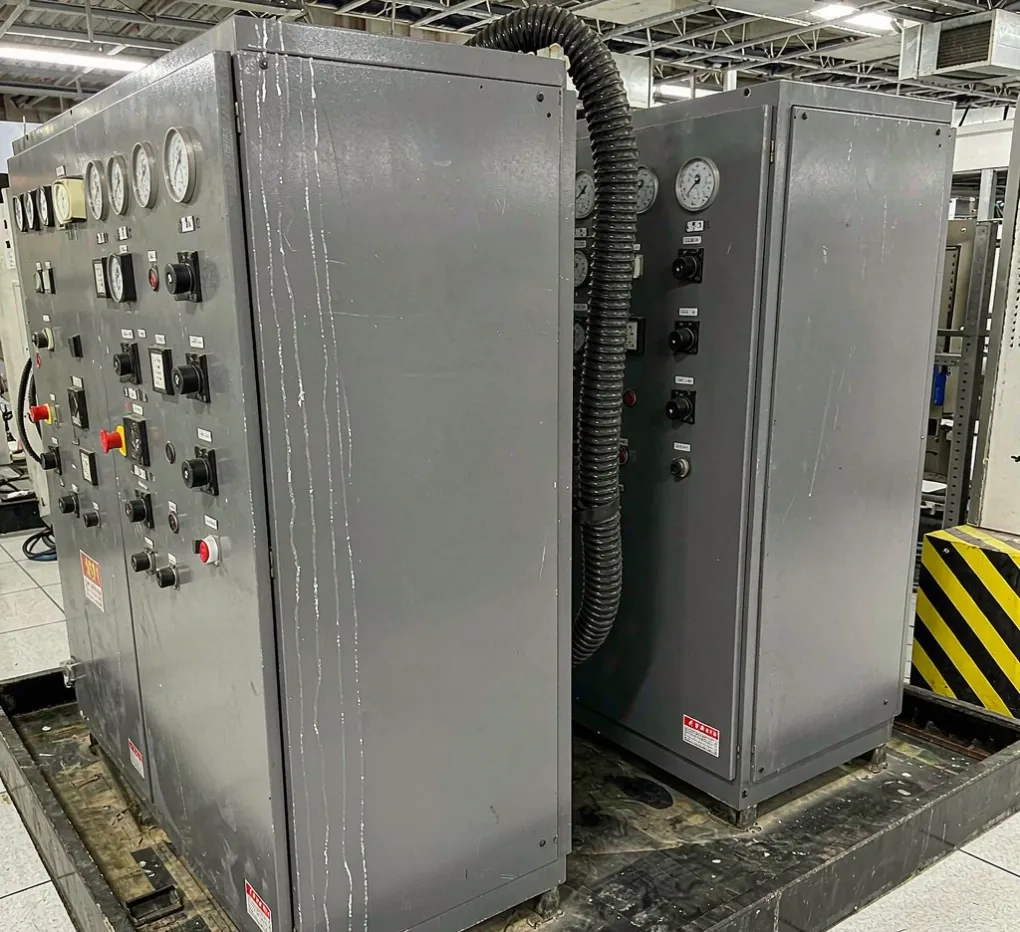
The kicker: a capacity-parallel system with no redundancy is worse than one bigger unit if availability is your goal, because you've added a second failure point without a spare to cover it.
The topologies buyers actually specify
Isolated parallel (independent units, separate output buses)
Each UPS feeds its own branch of the load through its own breaker. Simplest to understand, no special sync control. Downside: you can't share the spare across branches, so you need a spare per branch—expensive for small loads.
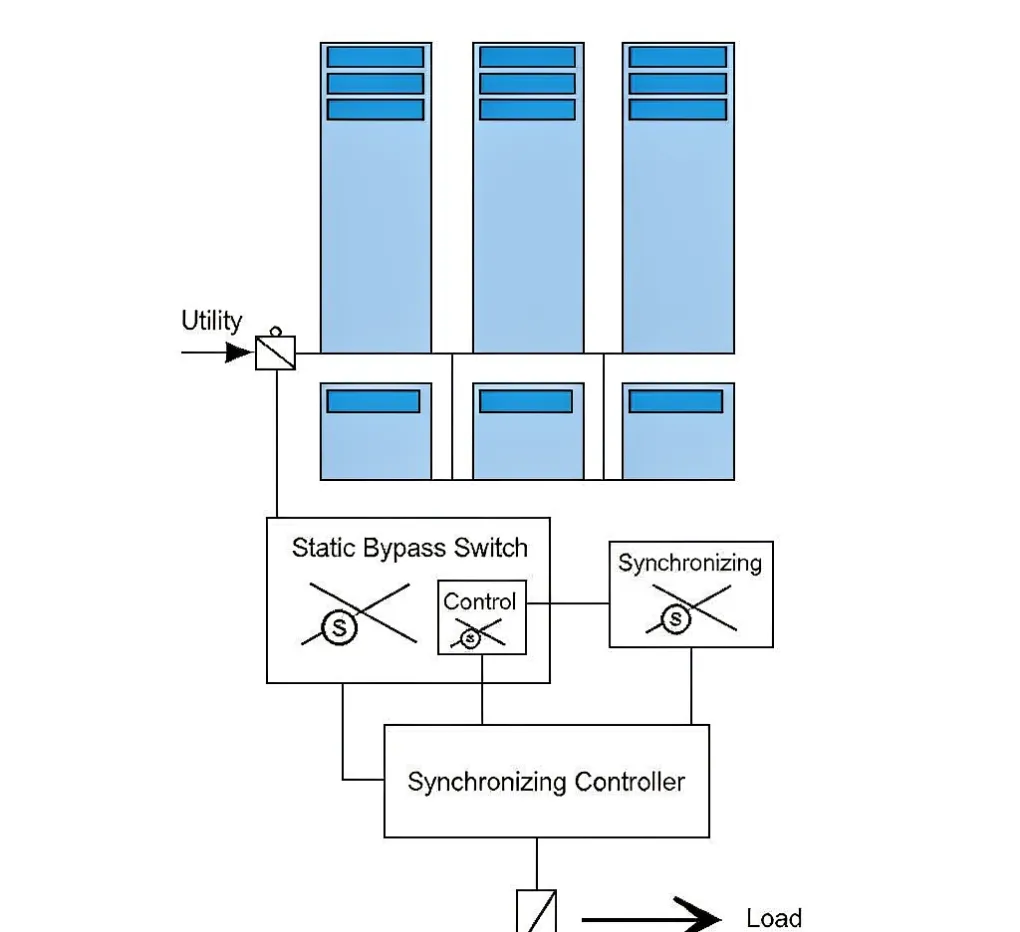
Centralized parallel with a shared static bypass
The units synchronize and feed one common bus, with a static bypass that can carry the whole load if the UPS string faults. This is the most common "N+1" data-center shape. It scales well and one spare covers the whole bus—but that shared bypass and the synchronizing controller are themselves things that can fail.
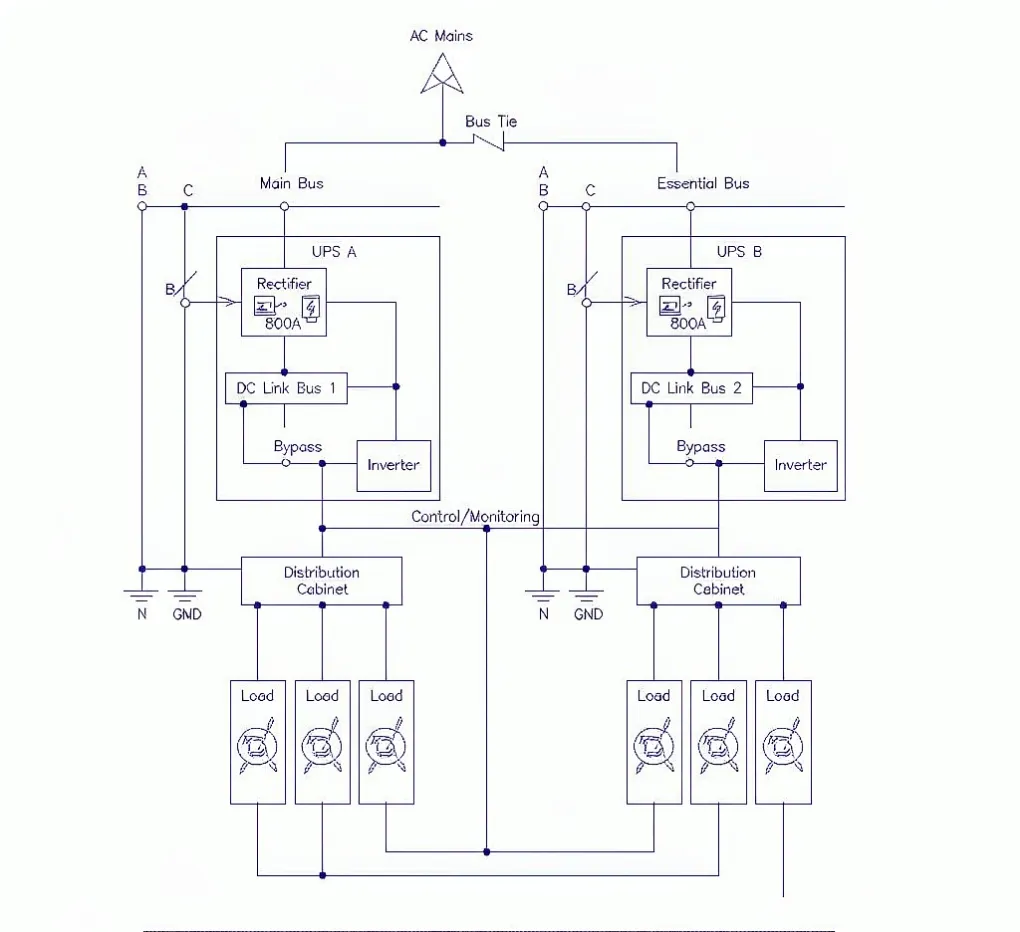
2N / distributed redundant
Two completely independent power paths, each sized for the full load, often fed from different breakers or even different utilities. Maximum availability, maximum cost, and it only pays off where an outage costs more than the second path.
Topology | Best when | Availability gain | Added cost & complexity |
|---|---|---|---|
Isolated parallel | Small loads, separate branches | Low–medium | Low; spare per branch |
Centralized N+1 | One large shared bus | High | Medium; sync + shared bypass |
2N / distributed | Outage cost is extreme. | Very high | High; dual everything |
Engineering Note: The shared static bypass in a centralized parallel system is a genuine single point of failure. Ask the vendor to show you how the load behaves if that component fails, not just if a UPS module fails.
When a redundant UPS is actually worth the money
Here is the core idea, stated plainly: a redundant UPS is worth it when the cost of one unplanned outage exceeds the cost of the spare unit plus its maintenance—amortized over the system's life. A cold-storage site losing product, a process line with a hard stop cost, a data hall billing by the minute—those justify N+1 or 2N fast. A small office with a generator upstream usually does not.
Questions to ask before you specify
- What does one hour of downtime actually cost us, in product, penalty, or labor?
- Is there already a generator or second utility feed upstream? (Redundancy there may beat redundancy at the UPS.)
- Do we need the spare to be hot and automatic, or is a manual swap acceptable?
- What does maintenance look like—can we service one unit without dropping the load? (This is where a real bypass matters; see our guide to UPS maintenance bypass.)
The failure modes people miss
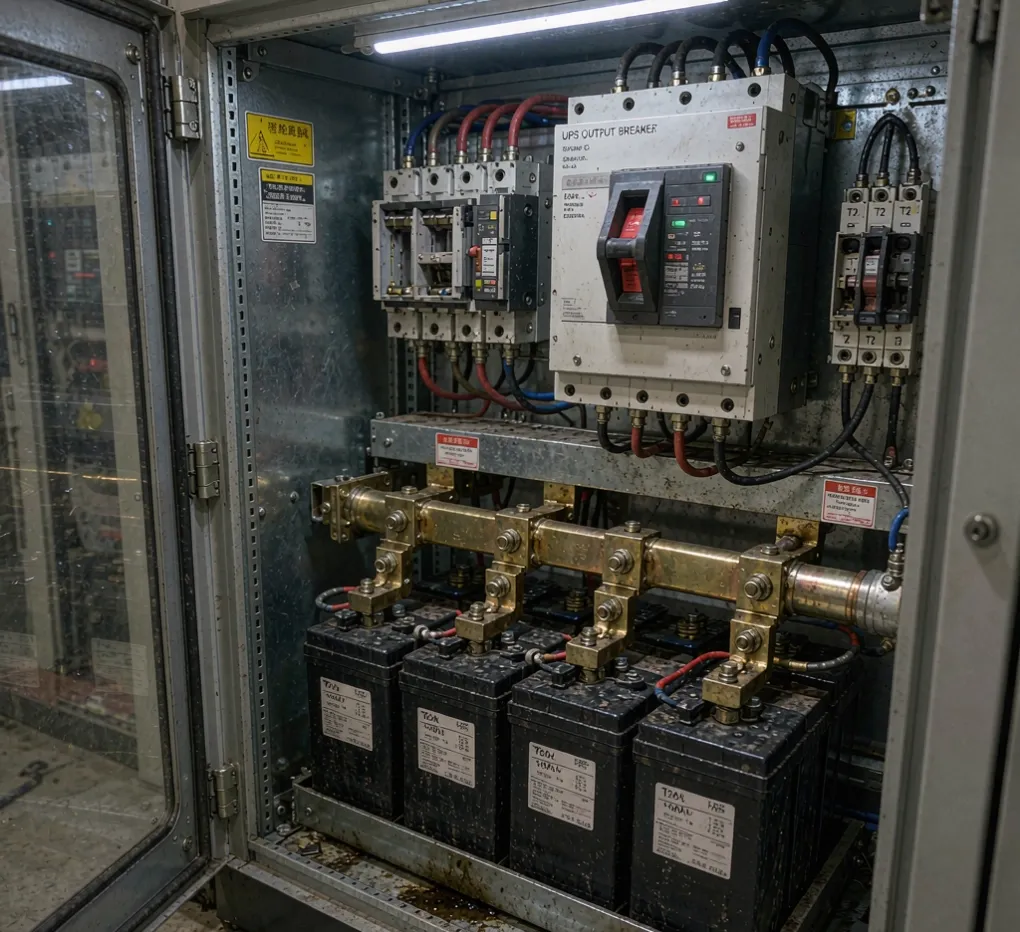
The battery and the breaker are still single points.
Parallel UPS modules share the load, but in many designs the battery strings and the output breaker are still per-unit or shared. A single battery fault or a mis-coordinated breaker can still drop the bus. Read the one-line diagram; don't just read the brochure.
The maintenance trap
This is the quiet one. A system "with redundancy" that can't be serviced without shutting the load down isn't redundant in practice—it just looks that way on paper. A proper maintenance bypass is what turns redundancy into something you can actually use.
Buyer Decision: If you can't take a unit offline for service without risking the load, you have availability on paper only.
How we spec it as a sourcing partner
We are a sourcing partner and panel-build shop, not a UPS manufacturer—so our job is to help you size and integrate the right topology using the component brands you already trust (the UPS itself plus breakers, bypass, and monitoring). A few things we flag early:
- Lead time reality: the UPS unit is often the long pole; supporting breakers, bypass, and monitoring typically ship in 3–5 days once specified, but the UPS itself is ordered to the job. Build the schedule around the unit, not the accessories.
- UL 508A listing is per panel, per scope—if the UPS sits inside a listed control enclosure, that listing has to cover this exact build, not a generic "UPS panel." We verify the file and scope before we cut steel.
- Enclosure rating still matters even for an indoor UPS: if it lives in a harsh or washdown area, our China electrical-enclosure sourcing guide covers the material and IP/NEMA decisions.
Standards we build against: IEC 62040 for UPS performance and testing, UL 1778 for UPS safety, and NEMA enclosure ratings where the cabinet is in scope. For the integration side, see our industrial UPS systems.
FAQ
Do two UPS units automatically give me redundancy?
No. Two units in parallel with no spare give you more watts but no backup if one fails. True redundancy needs N+1 (or N+X), where a spare carries the load after a failure.
Is N+1 or 2N better?
N+1 is enough for most sites and far cheaper. 2N (two full independent paths) only pays off where an outage costs more than the second path—usually data centers or continuous-process lines.
Can I service one unit without dropping the load?
Only if the system has a real maintenance bypass and the design lets you isolate a module. Ask the vendor for the maintenance procedure, not just the sales sheet.
Does paralleling void the UL listing?
It depends on whether the parallel control and bypass are inside the listed assembly's scope. If the UPS sits in a listed panel, that panel's UL 508A file must cover this exact configuration.
How much runtime does redundancy add? None by itself. Redundancy is about surviving a unit failure, not extending battery time. If you need more minutes, add battery to the existing units.
What's the biggest cost driver in a parallel UPS panel?
The synchronizing controller, the shared static bypass, and the second battery string. A clean isolated-parallel design is cheaper than centralized N+1 but gives less shared spare coverage.
Engineering Takeaway
A second UPS is not automatically "more reliable"—it"'s a different tool. Parallel it for power, make it redundant (N+1/2N) for survival, and only pay for redundancy where one outage costs more than the spare. Read the one-line diagram for the real single points of failure, insist on a serviceable bypass, and confirm the UL 508A scope covers the build. Send us your one-line diagram, and we'll tell you straight, whether you need one unit, N+1, or 2N.
Related guides
Ready to size the right topology?
Upload your one-line diagram, and we'll run an engineering review and send back suggestions — no obligation. Submit your requirements.