
Industrial UPS
Modular UPS Systems Supplier
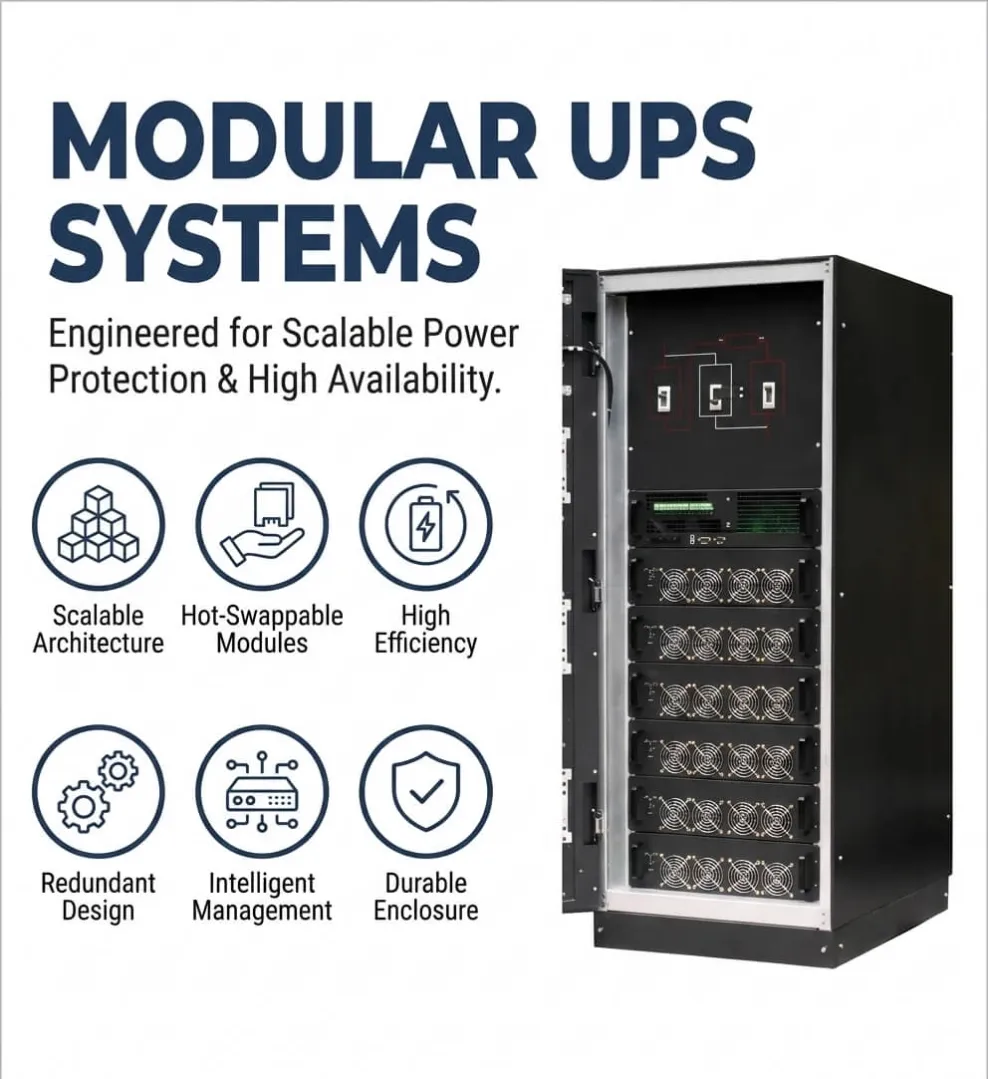
Modular UPS systems for data centers, industrial facilities, and critical loads. Compare scalability, N+1 redundancy, battery runtime, cooling, and BMS integration.
Specifications
- Electric Energy
- 999 Wh
- Phase
- 3 Phrase
- Model Number
- modular ups
- Protection
- Overvoltage
- Nominal Frequency
- 50/60Hz
- Multiple monitors
- SNMP+USB+RS-232
Quick Answer
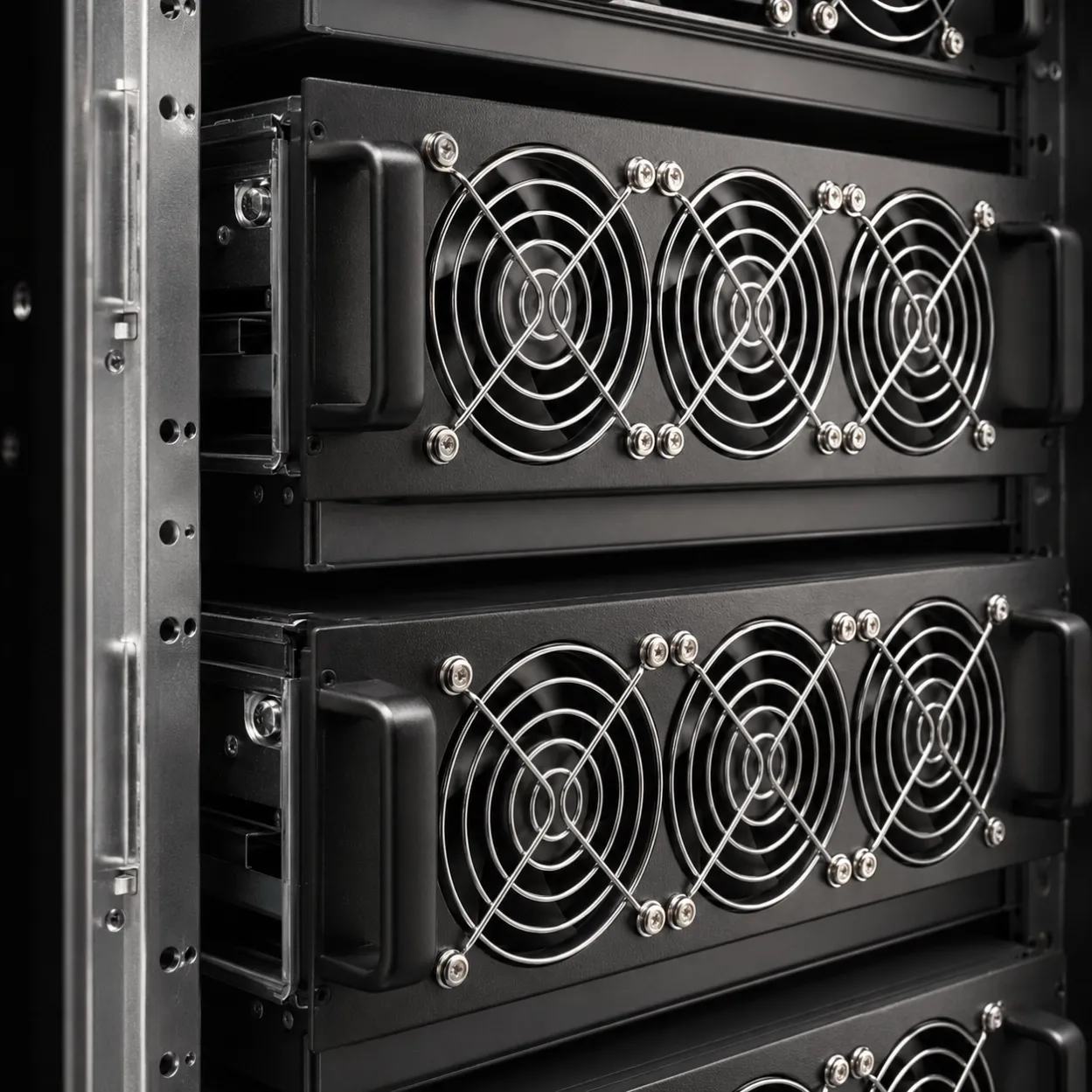
Expecting your critical load to grow, or cannot afford a full shutdown for service? A modular UPS lets you add hot-swappable power modules to scale capacity and keep N+1 redundancy live - no downtime for expansion or maintenance. UniRegal supplies modular systems sourced from tier-1 brands, built to your kW and redundancy requirement; cabinet lead time is ~15 days, modules ship in 3-5 days. UL listed options available.
Scalable Modular UPS Systems for Data Centers, Industrial Facilities and Critical Infrastructure
A modular UPS system is designed for facilities where power capacity, redundancy and maintenance requirements may change ovRecent Projects (Anonymous)
Real deliveries through our Foshan sourcing network. Client names withheld by request.
Project Example — Modular UPS for a Small Data Room, 2026
- Scope: 1× N+1 modular UPS for a 10 kVA critical load in a small data room.
- Panel: 19" rack-style modular UPS, hot-swappable power modules, external battery bank, BMS.
- Country: Southeast Asia.
Engineering Review Example
Customer Requirement: A 10 kVA load that could not go down, but the room had no space for a big standalone UPS.
Our Suggestion: A modular UPS with N+1 power modules — same footprint as a single module, but one module can fail and the load stays up.
Final Design: Modular UPS with 2× power modules (10 kVA N+1), external battery bank sized for 15 min, FAT was a battery-discharge and module-failover test before shipment.
Why Choose UniRegal for Industrial UPS
- Foshan multi-supplier sourcing — UPS + battery + enclosure sourced together.
- Prototype & project orders from 1 unit; lead time confirmed after drawing & BOM review; modules / batteries ship in 3–5 days.
- N+1 redundancy — modular builds let one module fail without dropping the load.
- Battery runtime sized to need — we size minutes, not just kVA.
- FAT before shipment — discharge + failover test, photos on request.
Lead Time & FAT
Item | Lead time |
|---|---|
UPS cabinet / enclosure | ~15 days |
Modules / batteries | 3–5 days |
FAT + inspection | Before shipment, photos available |
FAQ — Industrial UPS
Q: N+1 or single module?
A: Critical load that can't drop → N+1 modular. The extra module covers a failure with zero interruption.
Q: How long should the battery last?
A: We size minutes to your transfer/generator plan — typically 5–15 min for a graceful handover. Tell us the load and the plan.
Q: Do you FAT the UPS?
A: Yes — battery discharge and module failover are tested before shipment, record provided.
Applicable Industries
Data centers, industrial facilities, medical, telecom, process control, critical infrastructure.
Request Engineering Review
Have a load list or runtime need? Upload it → we return an engineering review + quotation in 1–2 working days.
Instead of relying on one large fixed UPS unit, a modular architecture combines multiple power modules inside a common frame. The system can be configured with additional capacity, N+1 redundancy, battery expansion, bypass protection and remote monitoring according to the project requirement.
UniRegal helps buyers evaluate modular UPS systems for data centers, industrial plants, process facilities, telecom rooms, building-management systems and other critical loads where future expansion and maintenance continuity are important.
[Discuss Your Modular UPS Requirement]
What Is a Modular UPS System?
A modular UPS system contains multiple independent power modules that operate together inside a shared UPS frame.
Each power module may contain its own rectifier, inverter and control electronics. Depending on the system design, modules can share the load, provide N+1 redundancy, or be added later as the facility’s power demand grows.
A modular UPS system may include:
- Power modules
- Static bypass module
- System control module
- Battery modules or external battery cabinets
- Maintenance bypass
- Input and output distribution
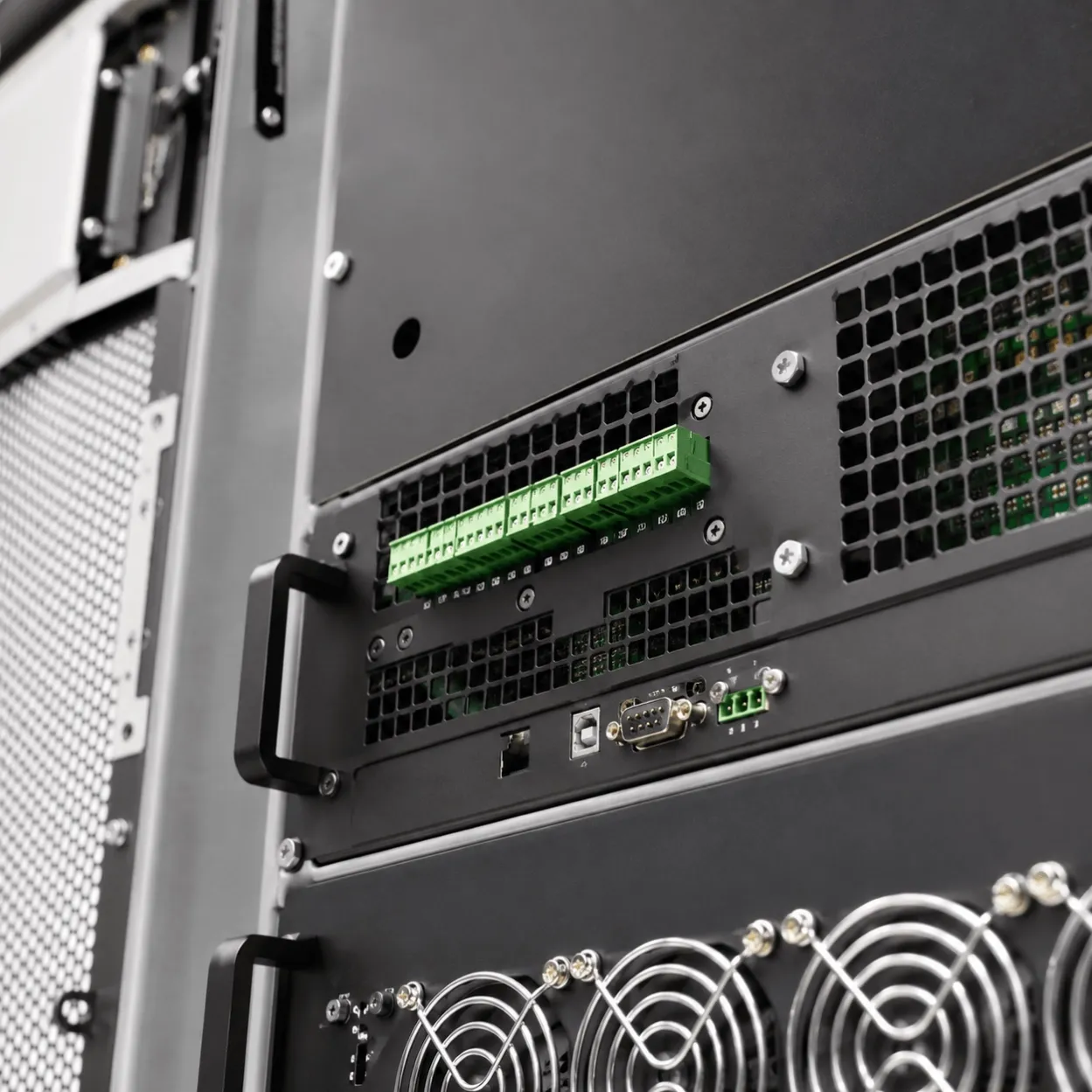
- Monitoring and communication interfaces
- Cooling and ventilation system
The term modular describes the system architecture. It does not automatically describe the electrical topology. A modular UPS may use online double-conversion technology, while standby, line-interactive and online are the three main UPS topologies.
The Buyer Problem Modular UPS Solves
A conventional UPS is normally purchased around the expected load at the time of installation. If the load increases later, the facility may need to replace the complete UPS or install another parallel unit.
A modular UPS can be considered when the buyer needs to:
- Start with a smaller installed capacity
- Add power modules as the load grows
- Keep one module available for N+1 redundancy
- Replace a failed module instead of replacing the entire UPS
- Reduce planned maintenance interruption
- Support changing data-center load density
- Fit UPS capacity into a limited equipment room
- Connect UPS status to BMS, DCIM or SCADA
- Avoid paying for unused capacity during the first project phase
Modular design is most useful when the power requirement is expected to change or when the cost of planned downtime is high.
Modular UPS System Architecture
Power Modules
Power modules supply the protected load and operate in parallel inside the UPS frame.
The required number of modules depends on:
- Present load
- Future load
- Required redundancy
- Module rating
- Load power factor
- Overload requirement
- Available cabinet positions
Static Bypass Module
The static bypass transfers the load to the bypass source when the UPS is overloaded, under maintenance or experiencing an internal fault.
The bypass rating, source quality and transfer sequence must be checked during system design.
Control and Monitoring Module
The control system coordinates:
- Module load sharing
- Synchronization
- Battery charging
- Alarm handling
- Bypass operation
- Redundancy status
- Event recording
- Remote communication
A control-module failure can affect the complete system even when the individual power modules are operating. The common-control architecture should therefore be reviewed during procurement.
Battery Modules
Battery modules determine the backup time and may be installed inside the UPS frame or in external battery cabinets.
Battery selection depends on:
- Required runtime
- Load profile
- Space
- Temperature
- Maintenance policy
- Battery chemistry
- Generator start time
- Project safety requirements
Maintenance Bypass
A maintenance bypass allows authorized technicians to isolate the UPS while maintaining power to the load through a defined bypass path.
The bypass arrangement should be included in the single-line diagram and reviewed before installation.
How N+1 Redundancy Works
N+1 means that the system has one more power module than the minimum number required to support the protected load.
For example, if four modules are required to support the load, a fifth module can be installed for redundancy. If one module fails or is removed for approved maintenance, the remaining modules continue supplying the load, provided the load remains within the available capacity.
N+1 does not protect every component automatically. The project should also review:
- Static bypass
- Control module
- Input switchgear
- Output distribution
- Battery system
- Cooling
- Maintenance bypass
- Common internal connections
A modular UPS may reduce the effect of a single power-module failure, but the complete system still needs a failure-mode review.
Modular UPS vs Conventional UPS
Decision factor | Modular UPS | Conventional UPS |
|---|---|---|
Initial capacity | Can start with the required number of modules | Usually purchased as a fixed-capacity unit |
Future expansion | Add modules if the frame and system support expansion | May require a larger unit or parallel system |
Redundancy | N+1 or N+2 can be configured at module level | Redundancy may require another complete UPS |
Maintenance | Individual modules may be replaceable while the system remains online | Maintenance may require bypass or shutdown planning |
Initial price | May be higher because of the modular frame and controls | Can be lower for small, stable loads |
System complexity | Requires module coordination and compatibility control | Simpler architecture in some applications |
Space planning | Needs capacity for modules, bypass and battery expansion | Fixed footprint but less flexible |
Best fit | Growing, critical or variable-load facilities | Stable loads with predictable capacity needs |
The correct choice depends on load growth, uptime requirements, budget, floor space, maintenance access and redundancy objectives.
What Are the Three Main Types of UPS Systems?
The three main electrical topologies are:
Standby or Offline UPS
The load normally receives utility power and transfers to the inverter when the supply fails.
It may suit small, non-critical loads, but the transfer time and power-conditioning capability must be checked.
Line-Interactive UPS
The UPS can regulate certain voltage variations while remaining connected to the utility source. It may be suitable for smaller IT or network loads where the incoming power quality is reasonably stable.
Online Double-Conversion UPS
The load is continuously supplied through the rectifier and inverter path. This topology is commonly selected for critical data-center, industrial-control and process loads that require controlled output power.
A modular UPS is usually selected together with one of these topologies. Modular construction and UPS topology are separate decisions.
When Should You Choose a Modular UPS?
A modular UPS is worth evaluating when:
- The facility expects load growth
- The first-stage load is smaller than the planned final capacity
- N+1 redundancy is required
- Maintenance must be completed without interrupting the protected load
- The data center is expanding in phases
- The project has multiple load densities
- The UPS room has limited space
- The buyer wants to add battery capacity later
- Remote monitoring is required
- A single large UPS would operate far below its efficient load range
A modular system may not be the best choice for a small facility with a stable load, limited budget and no future expansion requirement.
Downsides of Modular UPS Systems
A modular UPS system can have disadvantages that should be evaluated before purchase:
- Higher initial cost for the frame, control system and modules
- More complex commissioning and configuration
- Compatibility requirements between modules
- Common failure risks in bypass, control and distribution sections
- Additional space for future modules
- Specialist service requirements
- Possible module obsolescence
- More detailed battery and cooling planning
The lowest initial price is not always the lowest lifecycle cost. A fair comparison should include module expansion, battery replacement, maintenance access, bypass design, monitoring, service support and future capacity.
How Much Does a Modular UPS System Cost?
There is no universal price for a modular UPS system because the equipment scope changes significantly from one project to another.
The quotation may include:
- UPS frame
- Power modules
- Static bypass
- Maintenance bypass
- Battery modules
- Battery cabinets
- Input and output switchgear
- Distribution boards
- Monitoring cards
- BMS or DCIM integration
- Cooling modifications
- Installation
- Commissioning
- Testing
- Warranty and service
A data-center budget such as $100,000 should not be treated as a UPS specification. The budget must be divided between UPS capacity, redundancy, runtime, batteries, switchgear, distribution, installation, monitoring and room infrastructure.
To request a meaningful quotation, provide the required kW, initial load, final load, redundancy level, runtime and installation environment.
How Long Will a Modular UPS Run on Battery?
Battery runtime depends on:
- Protected load in kW
- Number and type of battery modules
- Battery age
- Battery temperature
- Required discharge rate
- UPS efficiency
- Battery reserve margin
- Future load
A modular UPS does not automatically provide long runtime simply because it contains multiple power modules. Power modules determine conversion capacity; battery modules determine stored energy.
Can a Modular UPS Provide Four Hours of Backup?
It can be designed for long runtime, but four hours usually requires a large battery system and may affect:
- Battery-room space
- Ventilation
- Fire protection
- Weight loading
- Charging capacity
- Maintenance
- Replacement cost
- Total project budget
For many facilities, a shorter UPS runtime combined with a generator is more practical. The correct decision depends on the process shutdown requirement and generator transfer strategy.
What Should Not Be Connected to a Modular UPS?
Do not connect large or non-critical loads without checking the UPS design.
Typical loads that require special review include:
- Large motors
- Compressors
- Heaters
- Welding equipment
- Pumps
- Printers
- High-inrush transformers
- Another UPS output
- Non-linear loads with severe harmonic current
- Loads that do not need battery backup
The UPS should normally protect the loads that require continuous power, not every electrical load in the facility.
Separating critical and non-critical loads can reduce the required UPS capacity and battery size.
What Happens if a UPS Battery Dies?
The result depends on the system configuration and the condition of the incoming supply.
Possible outcomes include:
- Battery alarm while utility power remains available
- Reduced backup time
- Transfer to bypass during an internal fault
- UPS shutdown after an outage
- Loss of protected load if no bypass or generator support is available
Battery failure should be monitored through battery alarms, impedance checks, temperature monitoring, discharge testing and planned replacement.
A modular power architecture does not remove the need for battery maintenance. Power modules may be redundant while the battery system remains a common dependency.
Modular UPS Integration with BMS, DCIM and SCADA
A modular UPS can provide operational information through:
- Modbus RTU
- Modbus TCP
- SNMP
- Dry contacts
- Ethernet
- Building management system
- Data-center infrastructure management
- SCADA
Useful monitoring points include:
- Module status
- Load percentage
- Input and output voltage
- Battery voltage
- Battery current
- Estimated runtime
- Bypass status
- Temperature
- Fault alarms
- Module replacement warning
- Battery replacement warning
The required protocol and communication card should be specified before quotation. A generic “remote monitoring available” statement is not enough for a building-management or data-center project.
Modular UPS Cooling and Installation Planning
Cooling requirements depend on:
- Total UPS losses
- Number of installed modules
- Operating load
- Battery type
- Room temperature
- Airflow direction
- Cabinet spacing
- Maintenance access
The buyer should evaluate the UPS and cooling system together. A compact UPS cabinet can still create a significant heat load inside a small room or colocation environment.
Installation planning should include:
- Floor loading
- Cable routing
- Front and rear service clearance
- Battery cabinet location
- Bypass access
- Fire protection
- Ventilation
- Emergency isolation
- Expansion space
Modular UPS for Data Centers and Colocation Sites
A modular UPS may be suitable for:
- Edge data centers
- Colocation facilities
- Enterprise server rooms
- Telecom rooms
- Industrial data centers
- Cloud infrastructure
- Control and monitoring centers
- Building-management systems
For a data-center project, the quotation should identify:
- IT load
- Cooling load
- Initial and final capacity
- Rack growth plan
- Required redundancy
- Runtime
- Battery chemistry
- Bypass arrangement
- Monitoring protocol
- Cooling and room constraints
- Service-level requirements
The phrase “best modular UPS cooling system for colocation sites” should not be treated as a standalone UPS keyword. Cooling is a facility-design issue and should be discussed together with UPS heat output and room airflow.
Modular UPS Distributors and Authorized Supply
Buyers comparing modular UPS distributors or authorized suppliers should check:
- Whether the supplier is authorized for the quoted brand
- Whether the quotation includes original modules
- Whether the model is current or discontinued
- Whether the battery system is included
- Whether commissioning is included
- Whether the warranty is manufacturer-backed
- Whether replacement modules can be supplied later
- Whether service is local or remote
- Whether the communication cards are included
- Whether factory testing is available
UniRegal can quote according to the requested manufacturer and supply route. Authorization status, product condition and warranty responsibility should be stated clearly in the quotation.
What UniRegal Needs for a Modular UPS Proposal
Send any available project information:
- Present load in kW
- Final expected load
- Input voltage and phase
- Output voltage and phase
- Required redundancy
- Required battery runtime
- Load power factor
- Generator information
- Room dimensions
- Ambient temperature
- Battery preference
- BMS, DCIM or SCADA protocol
- Required bypass arrangement
- Installation country
- Target delivery date
- Preferred manufacturer
If the capacity is not yet defined, send the equipment list, rack schedule or data-center load estimate for an initial review.
[Request a Modular UPS Proposal]
Frequently Asked Questions
What is a modular UPS system?
A modular UPS system uses multiple power modules inside a common frame. It allows capacity, redundancy and maintenance planning to be handled at module level instead of relying on one fixed-capacity UPS.
What is the difference between a modular UPS and a normal UPS?
A conventional UPS normally uses a fixed-capacity power stage. A modular UPS combines multiple power modules and can often support capacity expansion, N+1 redundancy and module-level maintenance.
What are the disadvantages of modular UPS systems?
The main disadvantages are higher initial cost, greater configuration complexity, module compatibility requirements and possible common failure points in bypass, control and distribution sections.
What is the price of a modular UPS system?
The price depends on kW, number of power modules, N+1 configuration, battery runtime, battery chemistry, bypass, monitoring, distribution, installation and commissioning. A budget figure alone is not enough to select the system.
What are the three main types of UPS systems?
The three main UPS topologies are standby, line-interactive and online double-conversion. Modular describes the architecture and can be combined with one of these topologies.
How long will a modular UPS run on battery?
Runtime depends on the protected load and battery capacity. Adding power modules does not automatically create longer runtime; additional battery modules or cabinets may be required.
Can a modular UPS provide four hours of backup?
Yes, if the battery system is designed for it, but four-hour runtime may require substantial battery capacity, space, cooling, fire protection and maintenance planning. A generator may be more practical for many facilities.
What should not be plugged into a modular UPS?
Large motors, heaters, compressors, welders, high-inrush transformers and non-critical loads should not be connected without checking the UPS capacity and waveform requirements.
What happens if a UPS battery dies?
The system may continue operating from utility power while reporting a battery alarm. During an outage, it may have reduced runtime, transfer to bypass or shut down depending on the configuration and battery condition.
Can a modular UPS connect to a building management system?
Yes, if the UPS includes the required communication card or gateway. Modbus, SNMP, Ethernet and dry contacts are common options for BMS, DCIM and SCADA integration.
Modular UPS Systems for Your Next Project
UniRegal can help evaluate whether a modular UPS is appropriate for your current load, future expansion, redundancy target and maintenance strategy.
Send your load data, runtime requirement, preferred brand or project specification, and we will help define the required UPS modules, battery configuration, bypass arrangement and monitoring scope.
Related Products:
Related Guides & Solution Centers