Aug 28, 2026Case Studies
How to Prevent Packaging Line Startup Failures Before Full Launch
Packaging line startup failures often come from interface logic, I/O mismatches, drive settings, and weak fault recovery. Better FAT catches these issues before full production launch.
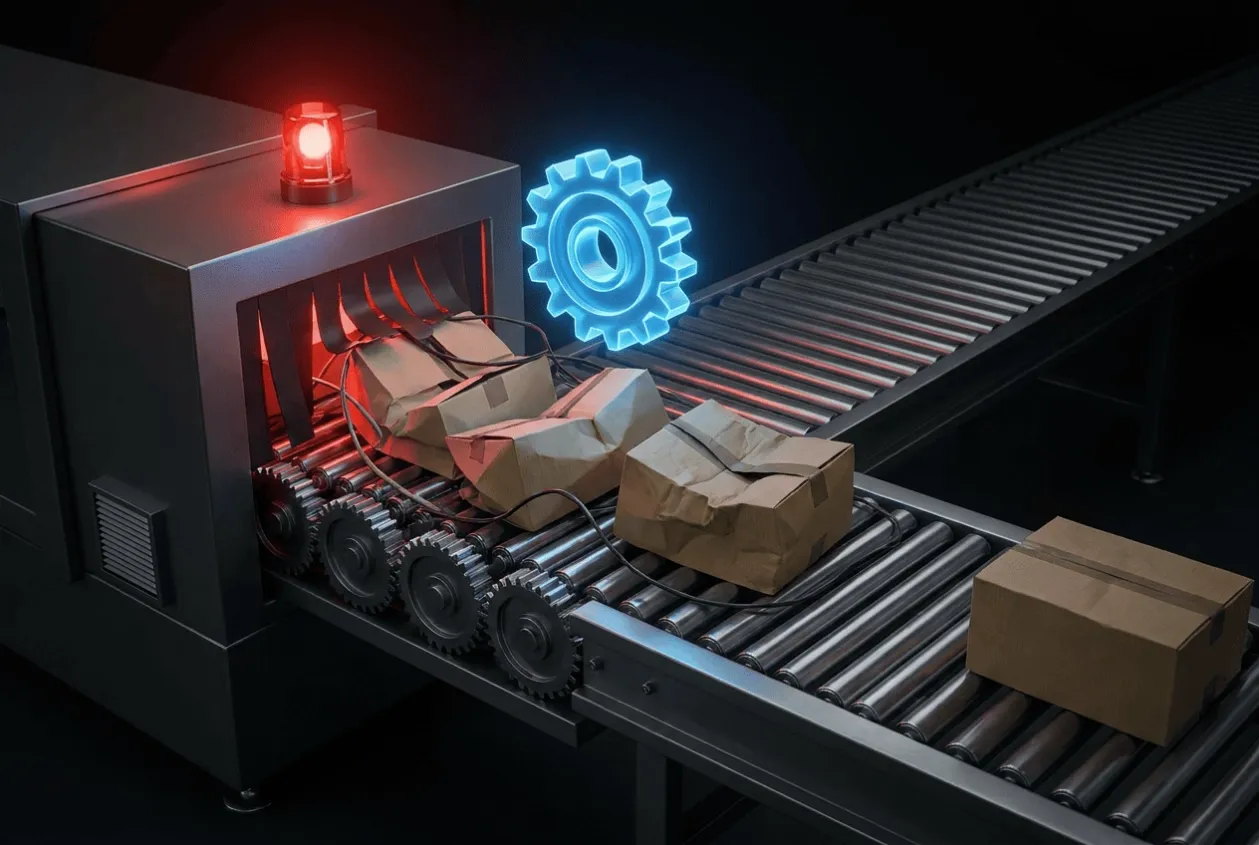
How to Prevent Packaging Line Startup Failures Before Full Launch
A packaging line can run smoothly during factory testing and still lose hours during final startup.
The reason is usually not that the PLC suddenly stopped working or that the machine was badly built. Problems appear because full launch is the first time the PLC control panel, VFDs, servo drives, sensors, safety circuits, conveyors, and upstream/downstream machines have to operate together under real production conditions.
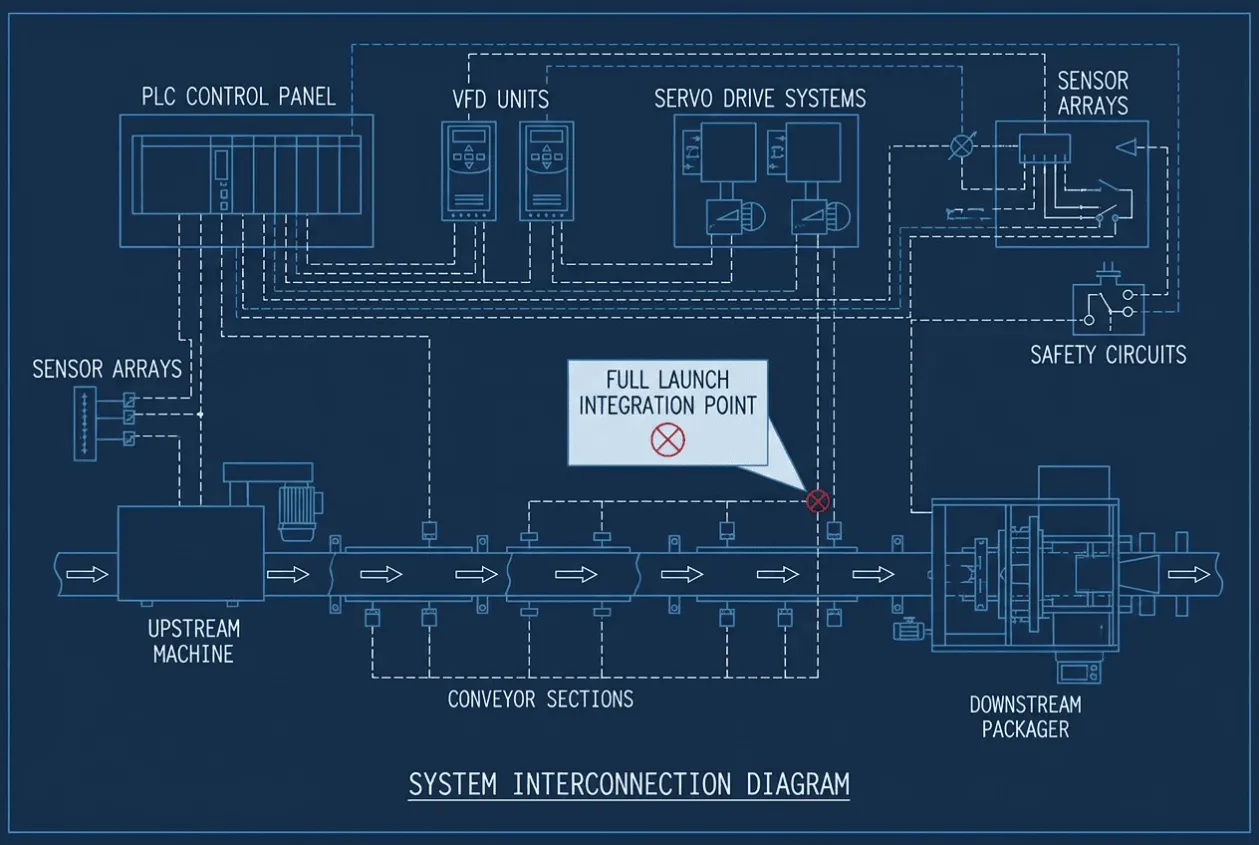
For an OEM or packaging machinery manufacturer, the most useful question before shipment is therefore not
Does the machine run?
It is:
Have we tested the conditions most likely to stop the packaging line when production starts?
The best way to prevent packaging line startup failures is to verify the interfaces, operating sequence, fault recovery, and production conditions during FAT rather than treating startup as the place where final integration will be completed.
Packaging Line Startup Failure Decision Matrix
Most startup problems can be narrowed down quickly if the project team knows where to look.
Startup Condition | Common Cause | What Should Be Verified Before Launch |
|---|---|---|
Individual machines run, but the complete line will not start. | Missing permissive or sequence mismatch | Line start/stop and upstream/downstream accumulates. |
The conveyor stops, or the product accumulates. | Sensor timing or speed coordination | Product detection and conveyor synchronization |
VFD or servo trips under production load | Incorrect parameters or load assumptions | Motor data, acceleration, torque, and actual loading |
The machine works manually but fails in automatic mode. | PLC sequence or field I/O mismatch | Full automatic cycle using representative signals |
HMI shows alarms that operators cannot clear. | Weak fault-recovery logic | Alarm cause, reset condition, and restart sequence |
Communication becomes unstable when all equipment is online. | Network configuration or electrical noise | Actual device network and communication mapping |
The startup requires constant engineer intervention. | Incomplete handover or undocumented settings | As-built drawings, parameter backups, and operator procedures |
The important point is that full-line startup should not be the first full-line test.
Test the Line as a System, Not as Separate Machines
Packaging projects are particularly vulnerable to startup delays because several machines often come from different engineering scopes.
A filling machine may be complete on its own. So may the capper, labeler, inspection station, and case packer.
The problem appears at the interfaces.
If the downstream machine stops, should the upstream conveyor stop immediately or continue until a buffer is full? If an inspection station rejects a product, does the PLC need confirmation before allowing the next unit through? If an emergency stop is reset, can the line restart automatically, or must several stations be cleared manually?
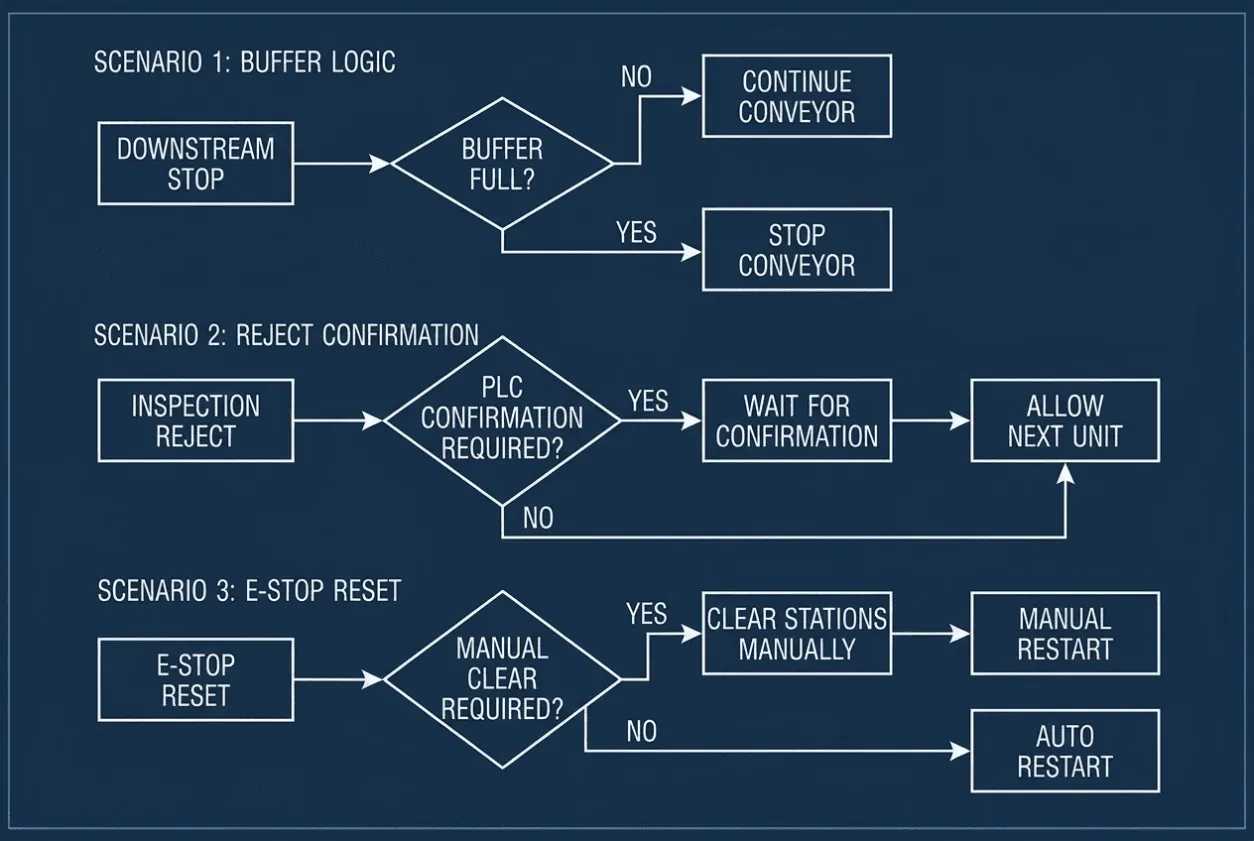
These questions affect production much more than whether an individual motor can start.
For a packaging line control panel, FAT should therefore include the operating relationships between machines wherever they can reasonably be simulated.
The control engineer should be able to explain what happens during a normal start, controlled stop, downstream blockage, sensor failure, and emergency stop before the equipment reaches the customer's plant.
Verify the Real I/O Before Shipment
One of the simplest causes of startup failure is also one of the most expensive to troubleshoot on site: the control program expects one signal while the actual machine provides another.
This can happen when an OEM changes a sensor late in the project, moves a terminal, replaces a pneumatic valve, or adds another safety switch without updating every engineering document.
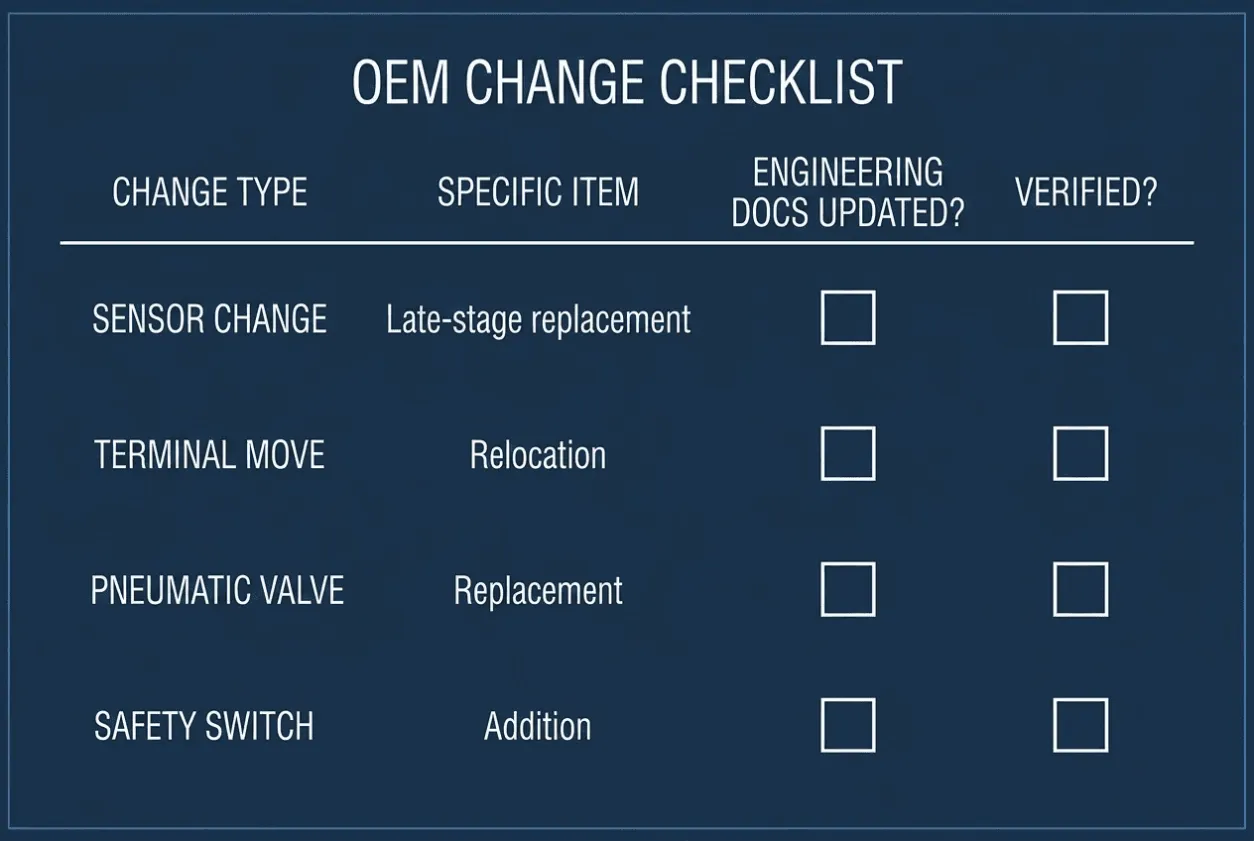
During bench testing, simulated I/O may still make the PLC sequence look correct.
At startup, the real field device behaves differently.
For custom packaging equipment, the final FAT should therefore reconcile the PLC I/O list, electrical schematic, and physical control panel against the machine that will actually ship.
Critical signals deserve particular attention, including machine-ready signals, conveyor permissives, product detection, safety circuits, and upstream/downstream handshakes.
A custom control panel supplier who performs this verification is providing something commercially different from a supplier who only tests internal panel wiring.
VFD and Servo Settings Need Production Conditions
Packaging lines contain many motors, and startup problems often appear only when those motors begin moving real products.
A conveyor that runs empty may accelerate perfectly. Once it is loaded, the drive may reach its current limit, or the product spacing may change enough to disrupt the next machine.
Servo systems can show the same problem. Motion may appear correct during a short factory cycle but become unstable when speed, inertia, or repetitive loading approaches actual production conditions.
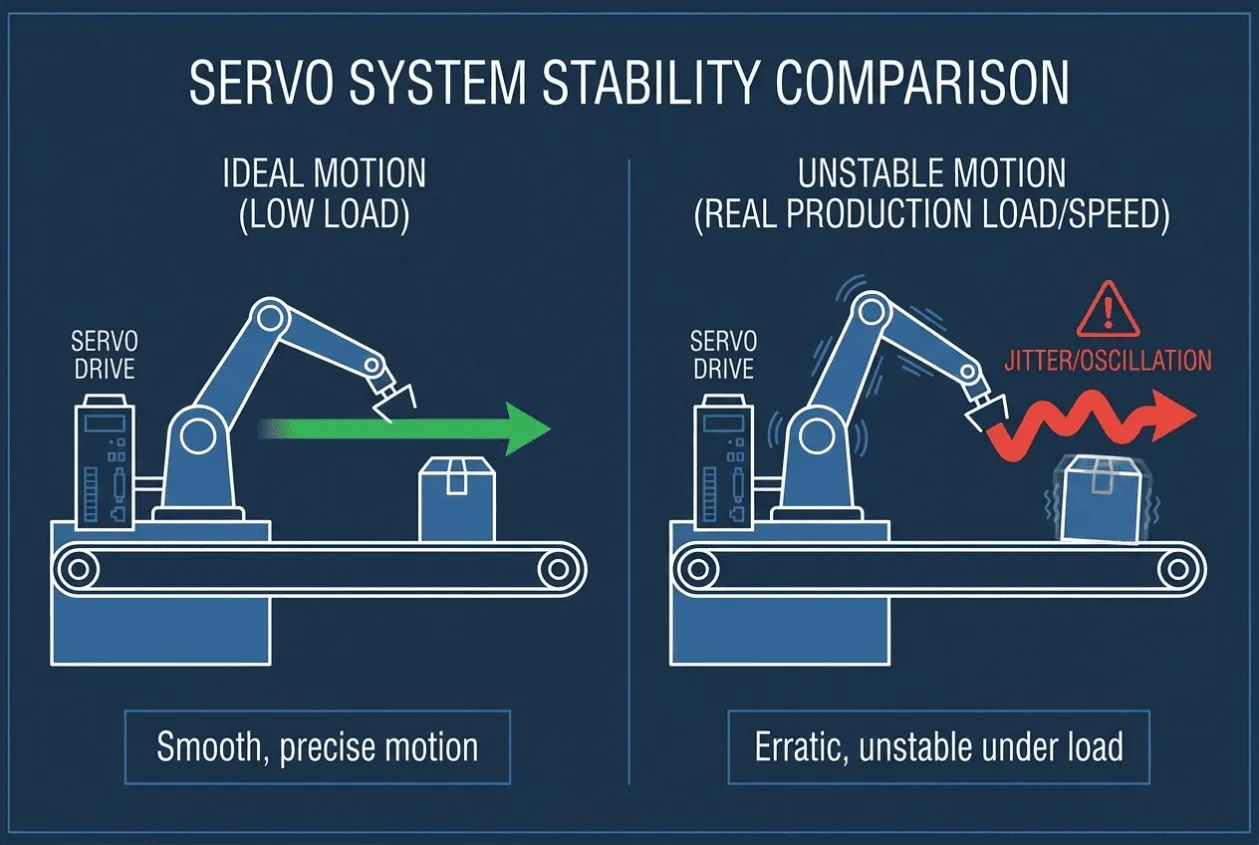
Before launch, the project team should verify that drive parameters reflect the connected equipment rather than factory defaults.
This includes motor data, speed limits, acceleration and deceleration, control mode, braking requirements, and protection settings.
The purpose is not to complete every process adjustment during FAT. Some tuning genuinely belongs on site.
The important thing is to document which settings have already been confirmed and which still require commissioning.
Otherwise, “final tuning at site” becomes an undefined responsibility shared between the OEM, control panel manufacturer, and commissioning engineer.
Fault Recovery Deserves More Testing Than Normal Running
A packaging line running normally tells you relatively little about how difficult startup will be.
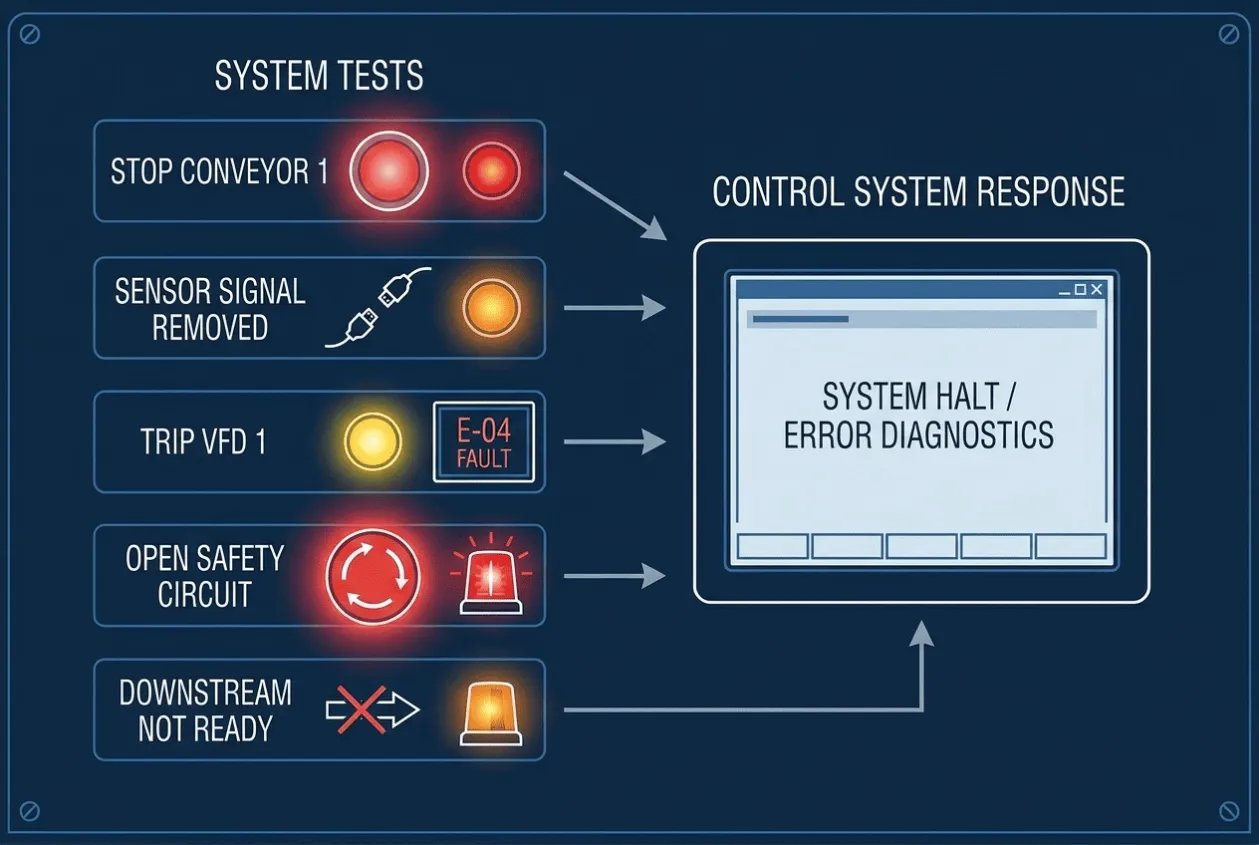
The more revealing test is to deliberately create the conditions operators will eventually encounter.
- Stop one conveyor.
- Remove a sensor signal.
- Trip one VFD.
- Open a safety circuit.
- Create a downstream-not-ready condition.
- Then watch what the control system does.
A well-designed line should move into a predictable state and give the operator enough information to recover without calling the PLC programmer every time production is interrupted.
This is particularly important for OEM packaging machine control panels, because a technically correct alarm is not necessarily a useful alarm.
“Station 4 Fault” tells the operator very little.
An HMI that identifies the affected device, explains the missing permissive, and prevents an unsafe restart significantly reduces commissioning and operating time.
When comparing PLC control panel suppliers, buyers should therefore look beyond the number of HMI screens and ask how fault recovery was actually tested.
Representative Case: The Line Ran Perfectly Until Cartons Arrived
An OEM packaging machine was completed with FAT on a line containing several conveyor sections, a filling station, and downstream packaging equipment.
During the workshop test, the machines operated correctly. Sensors detected test products, drives responded to commands, and the PLC sequence completed normally.
The problem appeared during final production startup.
Once real cartons entered the downstream conveyor, short product accumulations began forming between two machines. The upstream conveyor continued feeding for several seconds after the downstream machine removed its ready signal.
The individual machines were not faulty.
The issue was the interface logic.
During FAT, the downstream-ready signal had been simulated as either ON or OFF. The test never reproduced the short delays and accumulation conditions that occurred during continuous production.
The control sequence was modified so that the upstream conveyor responded correctly to downstream availability, and the buffer condition was handled explicitly rather than through one simple permissive.
The programming change itself was small.
The lost time came from discovering the problem after the line had already entered the customer's startup schedule.
The lesson for the OEM was straightforward: future FAT procedures included line-interface scenarios, not only individual machine operation.
That changed the purpose of FAT from proving that equipment worked to proving that the packaging line could recover when production did not behave perfectly.
What Should Be Verified Before Full Packaging Line Launch?
The pre-launch review does not need to become another hundred-page commissioning manual.
For most packaging-line projects, five areas deserve focused verification.
Line Sequence
Confirm startup, controlled shutdown, and upstream/downstream handshakes with the final PLC sequence.
Actual Field Interfaces
Check critical sensors, actuators, terminals, and machine-ready signals against the released I/O documentation.
Drive Configuration
Verify that VFD and servo settings match the motors, mechanics, and expected operating range.
Fault and Recovery Logic
Test realistic failures and confirm that operators can understand the alarm and restart the line safely.
Final Documentation
Release the as-built electrical drawings, PLC/HMI program versions, drive parameters, and network settings that correspond to the machine being shipped.
These five areas cover a large percentage of the problems that turn commissioning into troubleshooting.
FAT Is Where Startup Risk Becomes Cheap to Fix
For an OEM sourcing a custom packaging line control panel from China, the commercial value of FAT is not simply having a supplier send a test video.
The real value is finding integration problems while the panel builder, PLC engineer, and machine information are still available together.
A terminal change inside the workshop may take twenty minutes.
The same issue discovered after the control cabinet has crossed an ocean may involve the OEM engineer, end-user electrician, panel supplier, and commissioning team before anyone even agrees where the problem is located.
That difference is why buyers should compare control panel quotations by more than PLC brand, enclosure size, and component price.
The FAT scope, documentation, communication testing, and commissioning support can have a direct effect on how quickly the OEM gets the line into production.
Common Mistakes
❌ Testing each machine separately without testing the upstream and downstream handshakes.
❌ Running FAT with simulated signals that no longer match the final machine I/O.
❌ Leaving VFD and servo parameters at defaults without identifying who will complete setup.
❌ Testing only normal production and never forcing realistic fault conditions.
❌ Shipping the machine with electrical drawings that do not reflect final wiring changes.
❌ Choosing a packaging machine control panel supplier mainly from BOM price while leaving FAT and commissioning responsibilities undefined.
Engineering Takeaway
Packaging line startup failures are easier to prevent when FAT is designed around integration rather than demonstration.
The machine does not need to reproduce every condition of the customer's plant before shipment, but the critical interfaces should already be understood.
Verify the final I/O, machine handshakes, drive parameters, fault recovery, and as-built documentation before the line enters the customer's production schedule.
That is usually much cheaper than proving that the machine “worked in the factory” and then discovering at the site that the complete line was never tested as a system.
Building a Packaging Machine or Complete Packaging Line?
If you need a custom PLC control panel, packaging machine control cabinet, or OEM automation panel, send UniRegal your electrical schematic, I/O list, machine sequence, and drive requirements.
We can review the PLC/HMI architecture, VFD and servo integration, panel wiring, FAT scope, machine interfaces, and commissioning requirements before production, then coordinate the control-panel build through a suitable manufacturing source in Foshan.
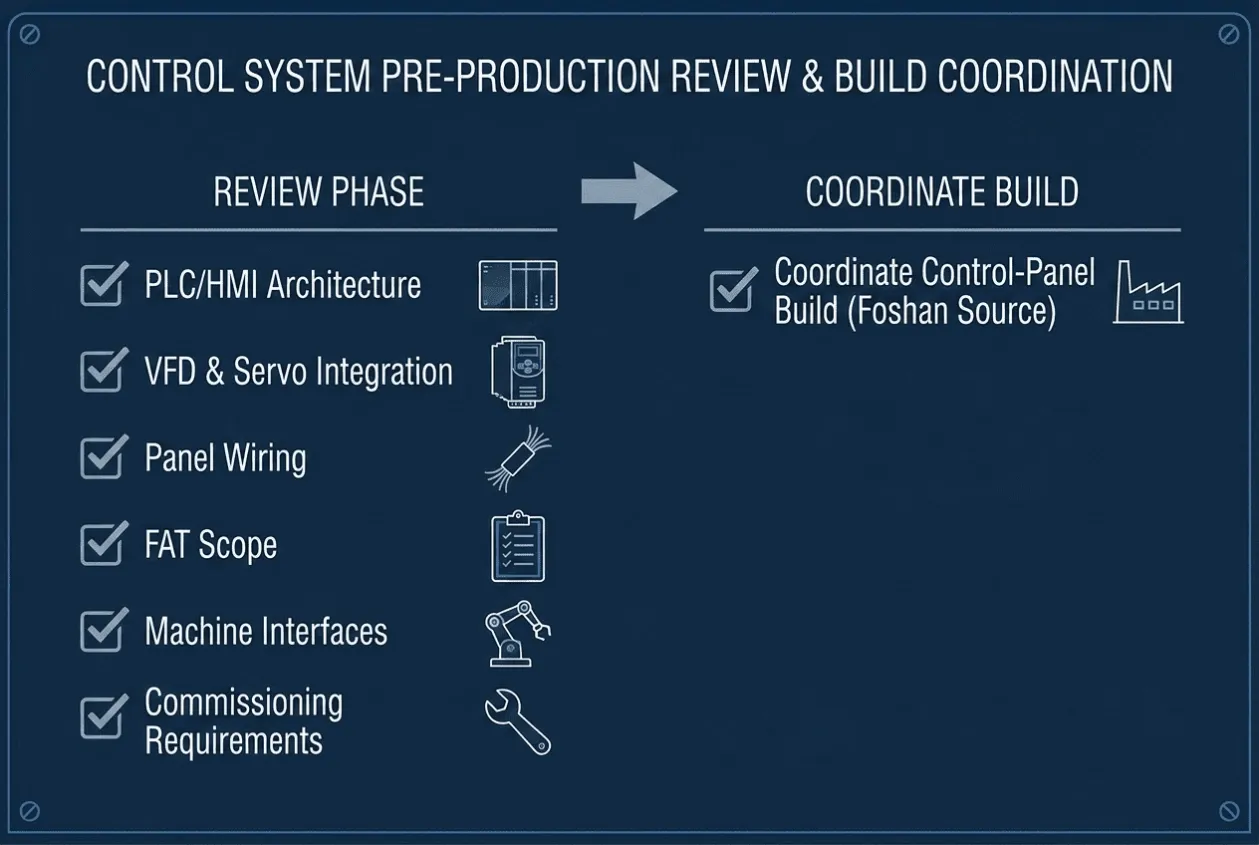
For OEM projects, the objective is not simply to deliver a finished electrical cabinet.
It is to reduce the number of unresolved control problems that your engineers have to solve when the packaging line is supposed to start producing.
Send Your Packaging Line Control Requirements for Technical & Commercial Review
Related guides
Send us your line scope.
Send the station list, formats, and throughput, and we will source the panels as one coordinated set with a system FAT in scope—so launch is a run, not a debug. Submit your requirements.