
Sep 30, 2026Case Studies
When a Touch HMI Cannot Be Touched
Learn the detailed case designed: PLC Push Button Navigation for a Zone-1 Chemical Dosing Panel. The process would do a great help for you all.
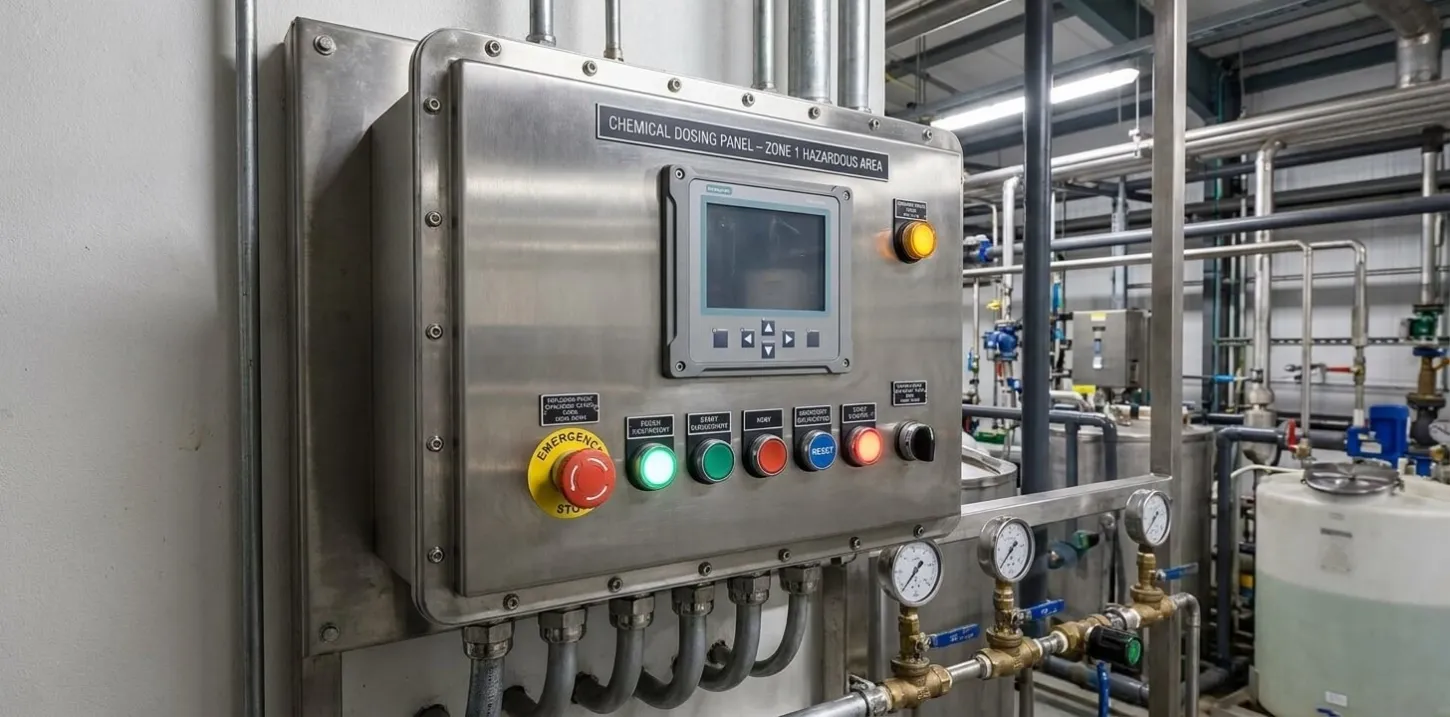
When a Touch HMI Cannot Be Touched: PLC Push Button Navigation for a Zone-1 Chemical Dosing Panel
A touch HMI is not always meant to be touched. In hazardous areas, the safest operator interface is often the one protected behind glass. This case documents how we solved a Zone-1 chemical dosing control problem by using PLC-configured navigation push buttons instead of direct HMI touch operation.
Project Snapshot
Item | Description |
|---|---|
Industry | Chemical Processing / OEM Process Equipment |
Application | Chemical dosing control and local operator monitoring |
Project Type | Zone-1 hazardous area control panel engineering |
Location | Hazardous process area |
Products | PLC, HMI, flameproof enclosure, push buttons, digital input modules |
Services | Control panel design, PLC logic development, HMI navigation configuration, FAT verification |
Result | Safe local operation without direct touch access to the HMI |
Project Overview
This project involved a local control panel for a Zone-1 chemical dosing application. The equipment required local operator control, process monitoring, alarm acknowledgement, and parameter adjustment near the dosing skid.
At first, the requirement sounded simple: provide a local HMI.
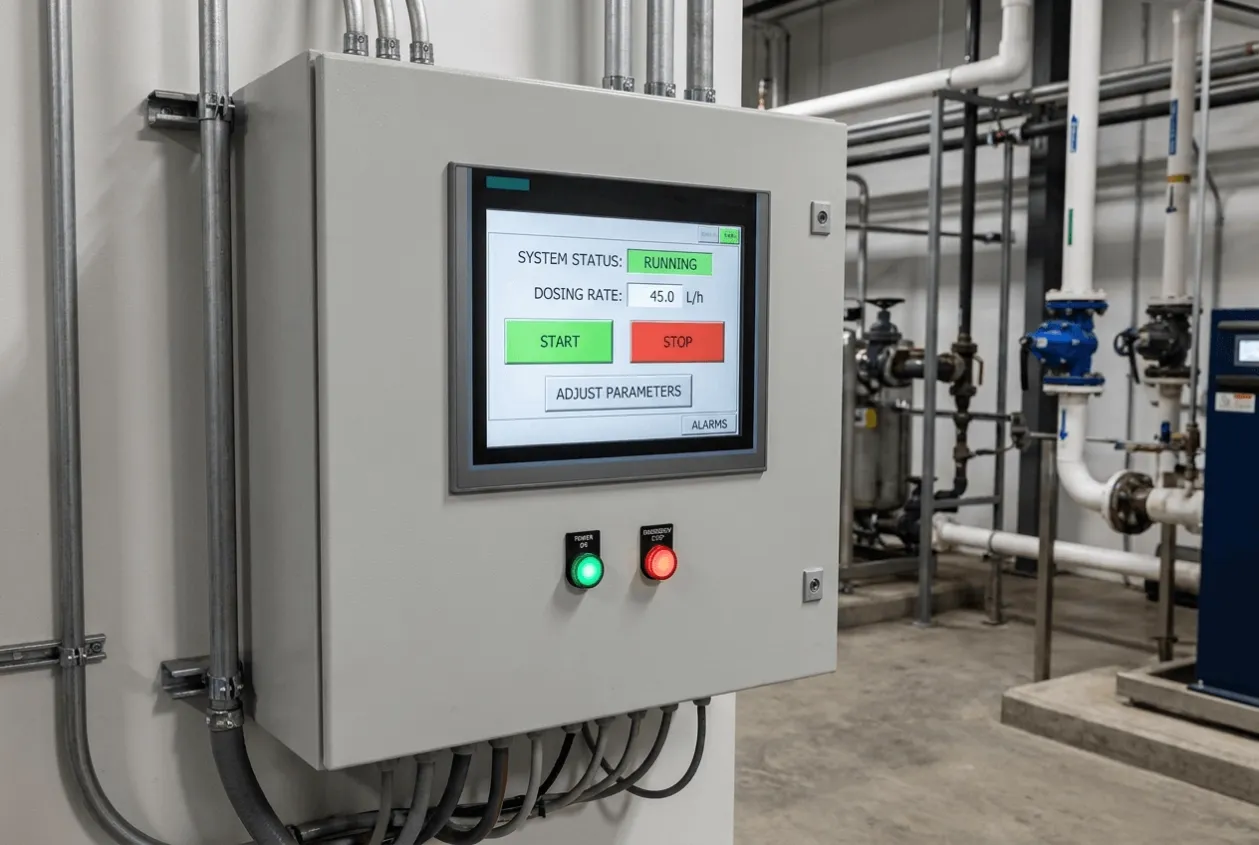
In a normal industrial area, we would install a touch HMI on the panel door. The operator could start and stop the system, adjust dosing parameters, check alarms, and move between screens directly on the display.
But this project was not in a normal industrial area. It was located in a hazardous area where flammable gases or vapors could be present during normal operation. That changed the entire operator interface design.
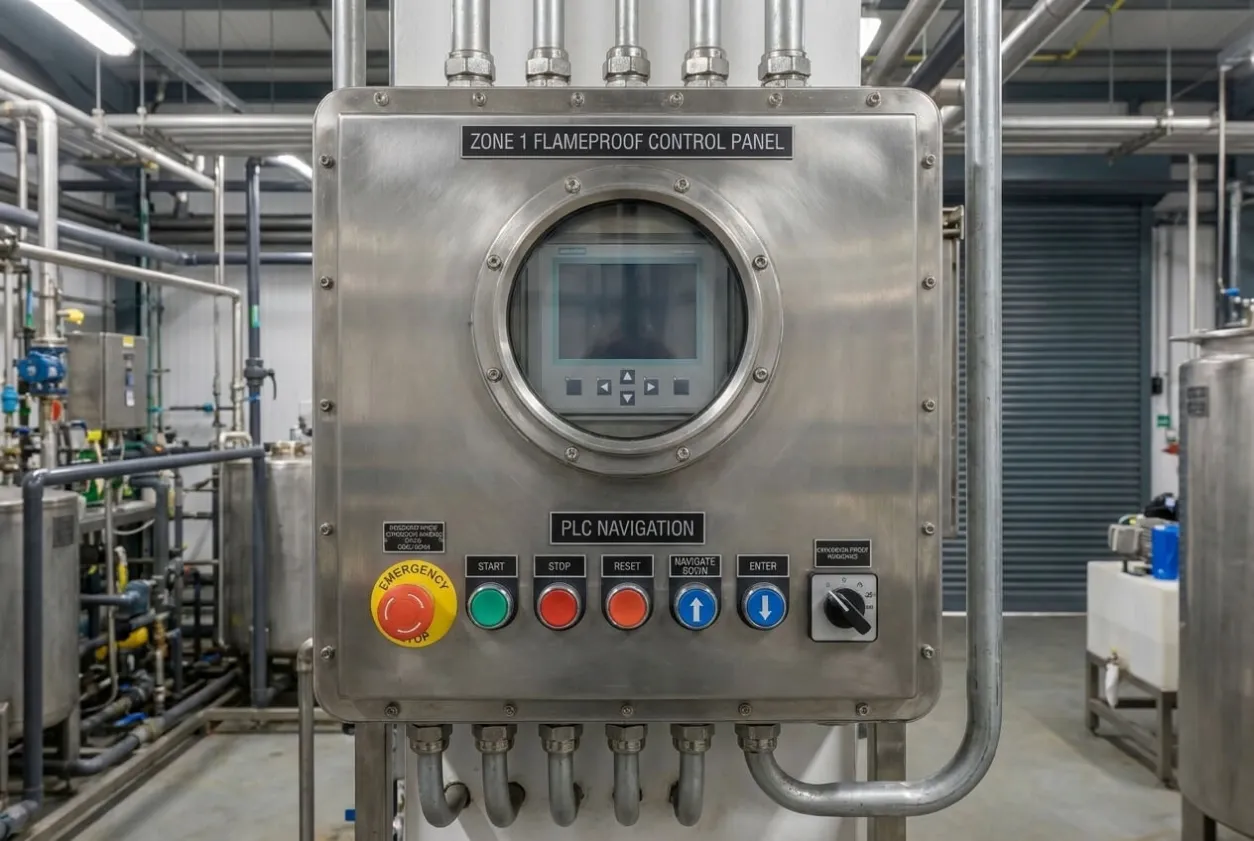
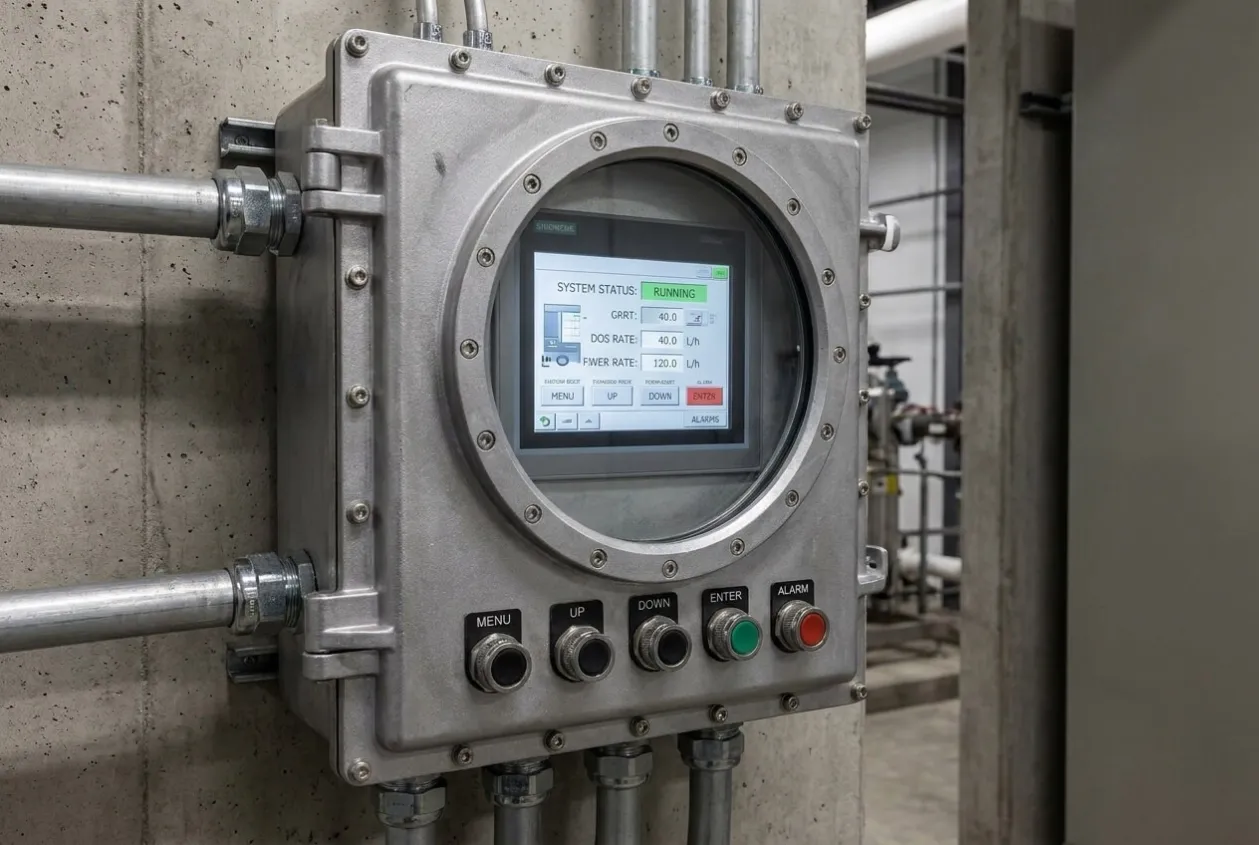
The HMI had to be installed inside a flameproof enclosure. The display was visible through a thick glass window, but the operator could not physically touch the screen. The touch function existed, but it was not usable in the field.
This is a common engineering situation. A component may be technically suitable in one environment, but the installation method changes how it can actually be used. The challenge was not selecting an HMI. The challenge was making the HMI practical and safe inside a Zone-1 enclosure.
Customer Challenge
From the customer’s point of view, the dosing system needed a local interface that operators could trust.
The operator had to perform several basic tasks at the skid:
- Start and stop the dosing process.
- Monitor running status.
- View alarms and warnings.
- Acknowledge alarms.
- Adjust permitted process parameters.
- Navigate between operating screens.
- Confirm selected actions safely.
The customer also needed the solution to comply with hazardous area safety requirements. That meant we could not simply expose a standard touch panel on the enclosure door. Any operator interface device in a Zone 1 area had to be considered carefully from an ignition risk, enclosure integrity, and certification point of view.
The obvious design problem was the flameproof glass window. The HMI was visible but not touchable. If we ignored this detail, the panel would pass a basic visual inspection but fail in actual operation. The operator would stand in front of the panel and have no practical way to move through the screens.
There were other risks too. If the interface was too complicated, operators might avoid using it. If every small adjustment required opening the panel, that would create safety and maintenance problems. If alarm acknowledgement was not available locally, troubleshooting would take longer.
For a chemical dosing package, usability is part of safety. Operators must be able to understand the system condition quickly and respond without confusion.
Engineering Review
The engineering review started with one simple question: how can an operator control an HMI without touching the HMI?
The answer was to move the physical operator input away from the HMI touch layer and into certified push buttons mounted on the enclosure. These push buttons would be wired to PLC digital inputs. The PLC would interpret each button press and command the HMI navigation logic.
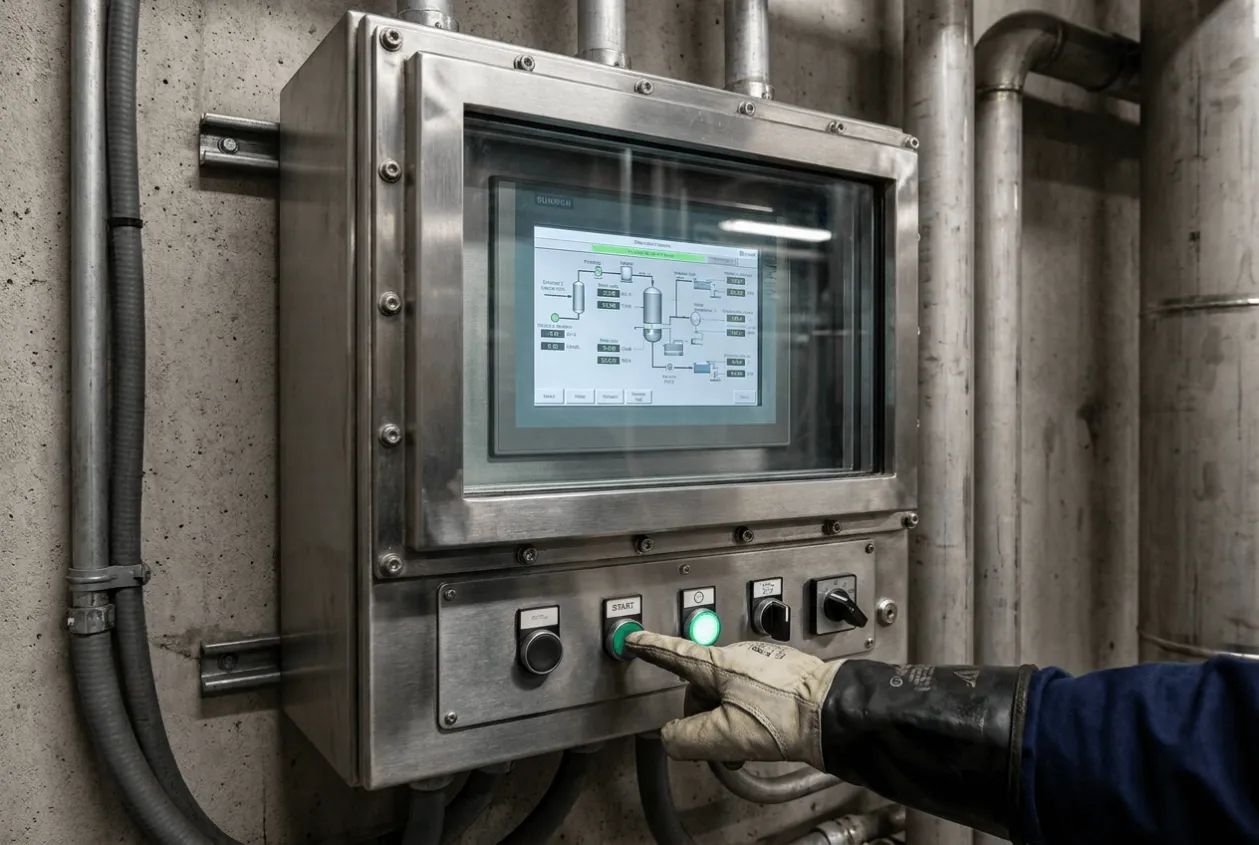
This created a safe and practical interface. The HMI remained protected inside the flameproof enclosure. The operator interacted only with external push buttons designed for the hazardous area installation.
We reviewed several options before selecting this approach.
Option | Advantage | Risk / Limitation |
|---|---|---|
Direct touch HMI on panel door | Simple and familiar operation | Not suitable for flameproof glass installation in Zone-1 |
HMI behind glass only | Display remains protected | The operator cannot navigate or adjust settings |
External touch overlay | Could allow touch-like operation | More complex, higher maintenance concern, certification risk |
Remote HMI outside hazardous area | Easier interface design | The operator loses local control at the skid |
PLC push-button navigation | Safe, robust, maintainable | Requires careful PLC and HMI configuration |
The push-button solution was not the most modern-looking option, but it was the most practical for the environment.
The next review area was navigation logic. A touch screen is easy because the operator can directly press what they want. Push button navigation is different. It must be predictable. Each button must have a clear function.
We selected six navigation buttons:
Push Button | Function |
|---|---|
Enter | Confirm selection or execute permitted command |
Escape | Return, cancel, or move back |
Increment | Increase value or move upward |
Decrement | Decrease value or move downward |
Next | Move to next screen, field, or menu item |
Previous | Move to previous screen, field, or menu item |
This arrangement gave the operator enough control without creating too many buttons on the panel door.
The PLC was configured to read each button as a digital input. The HMI screens were designed so that navigation could be controlled by these PLC signals. Instead of depending on direct touch, the operator moved through highlighted fields and menu items using the push buttons.
One important rule was to avoid overloading one button with too many hidden functions. In hazardous area operation, the interface should not feel like a guessing game. Every button action must be logical and repeatable.
We also reviewed how parameter changes would work. Operators should not accidentally change a chemical dosing setpoint by pressing one button. So the logic required intentional navigation, value adjustment, and confirmation. This reduced the chance of accidental operation.
Critical Engineering Decision
The critical engineering decision was to reject direct touch operation and design the system around PLC-based pushbutton navigation from the beginning.
This may sound obvious after installation, but it is often missed during early design.
Many engineers see the word “HMI” and immediately think of a touch panel. They select screen size, communication protocol, and mounting position. But in hazardous areas, the enclosure changes the usability of the device. A touch HMI behind thick flameproof glass is no longer a touch HMI from the operator’s perspective. It becomes a display unless another input method is provided.
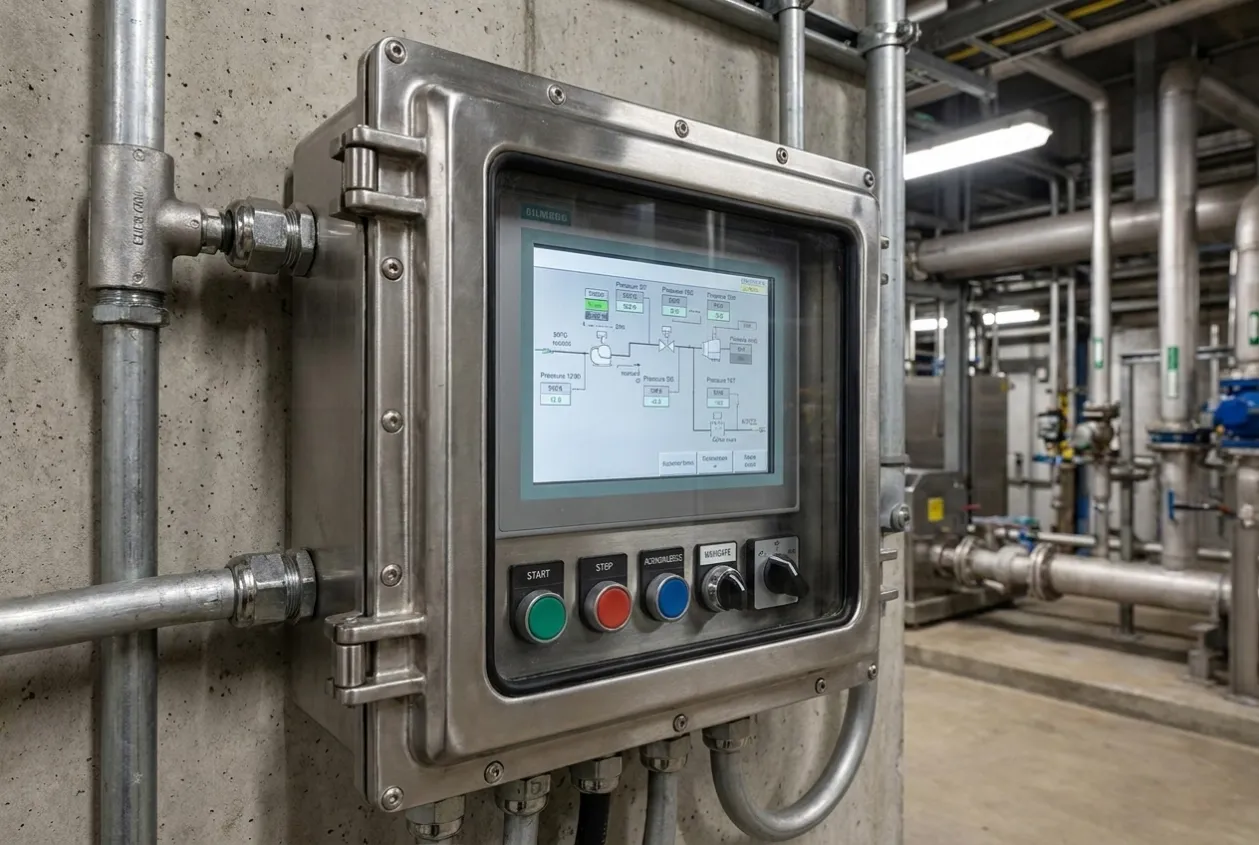
There were two possible directions:
- Search for a special touch solution that could work through the enclosure barrier. This might have kept the familiar touch-screen concept. But it introduced additional complexity. It also raised questions about certification, reliability, serviceability, and long-term support.
- Use proven hazardous-area push buttons and let the PLC manage HMI navigation. This required more work in software and screen design, but it used robust field devices and kept the flameproof enclosure concept simple.
We selected the second option.
The trade-off was clear. We sacrificed direct touch convenience, direct touch convenience, and confidence. Operators could still access the required functions. The panel did not require fragile external touch hardware. Maintenance technicians could troubleshoot the inputs easily using PLC status.
That decision avoided a common problem: installing a beautiful HMI that no one can operate properly in the field.
Solution Delivered
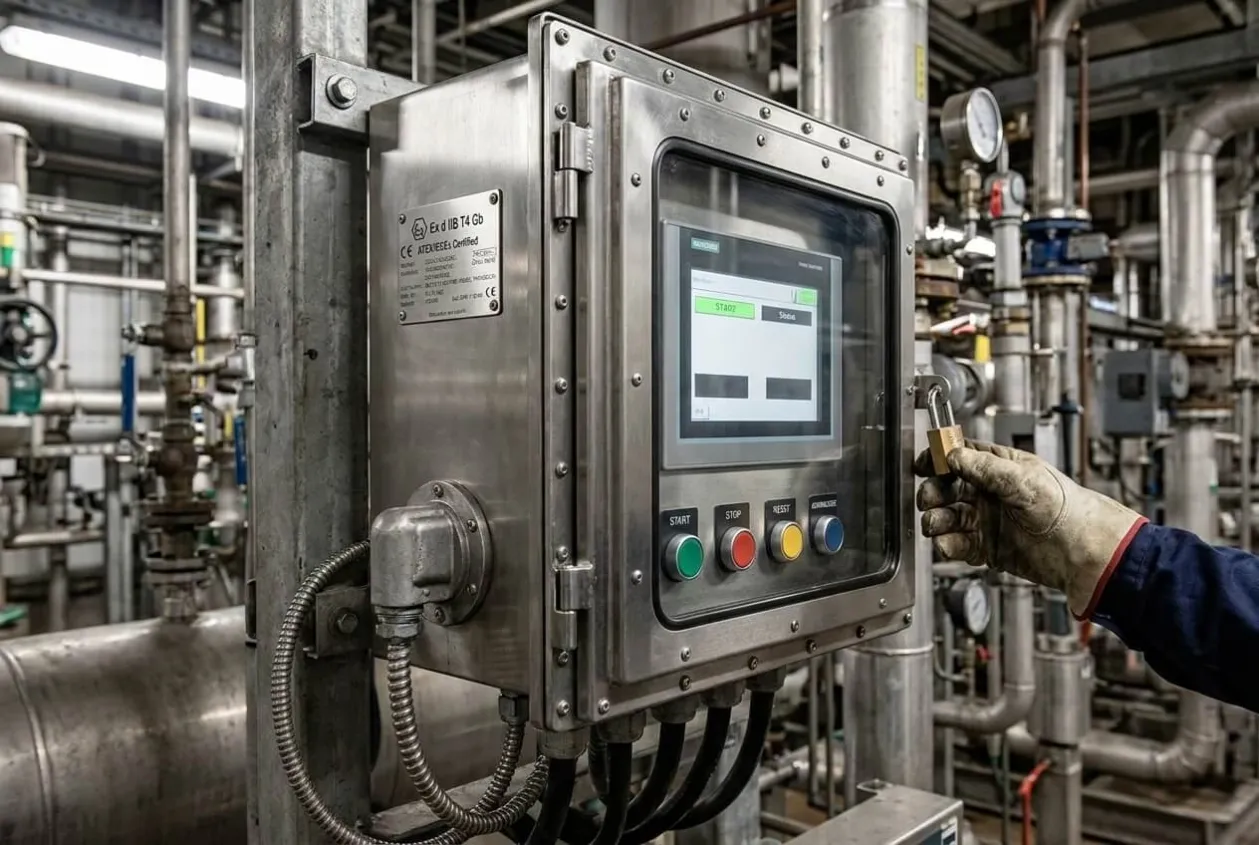
The final solution included a flameproof local control panel with the HMI mounted behind a protective glass window. The display was clearly visible to the operator, while the HMI remained safely enclosed.
Dedicated push buttons were installed on the front of the enclosure for navigation and operation. Each push button was wired to a PLC digital input. The PLC program interpreted each command and transferred the navigation state to the HMI.
The main navigation buttons were:
- Enter
- Escape
- Increment
- Decrement
- Next
- Previous
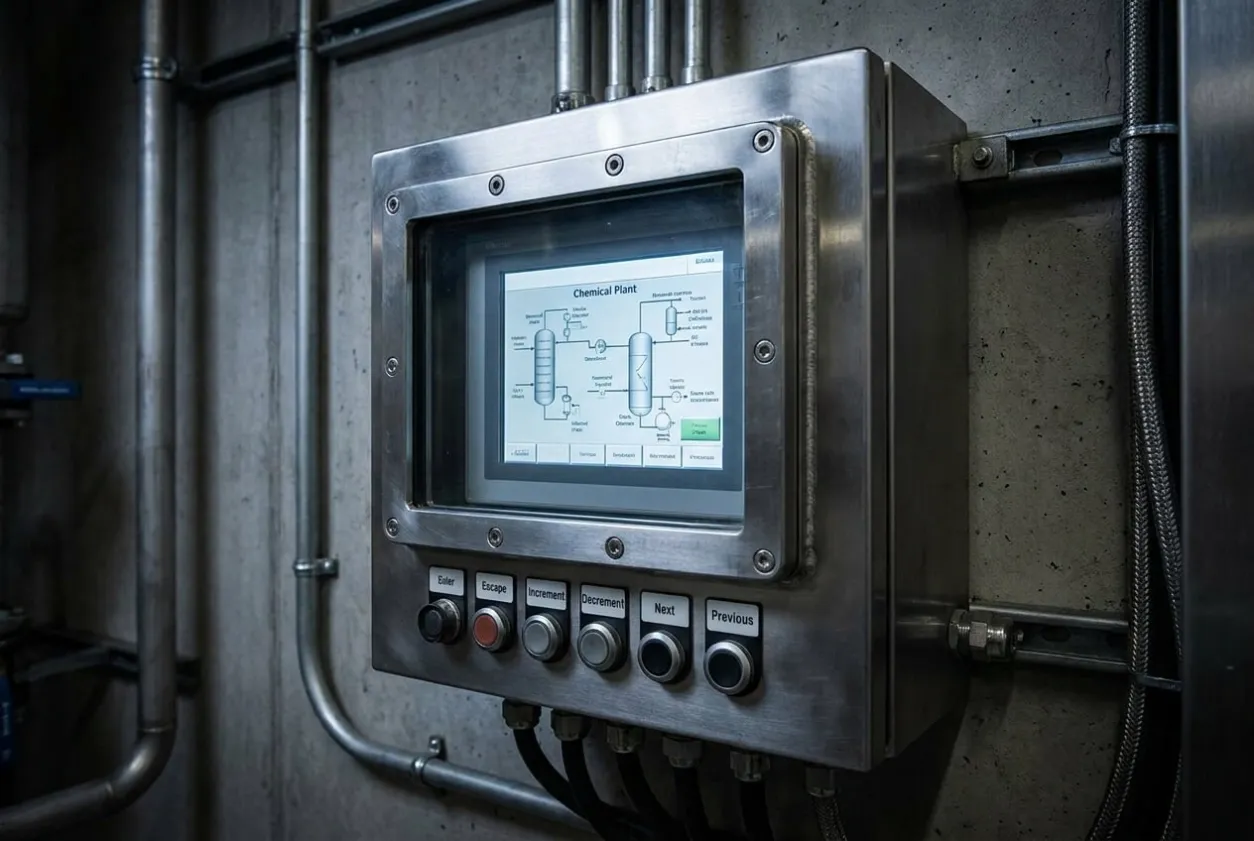
The HMI screens were designed around button-based operation. This required a different screen philosophy compared with a normal touch HMI.
A normal touch HMI can have many buttons on the screen because the operator can press them directly. For this project, we reduced screen clutter and created clear navigation paths. The operator could move from the main overview screen to alarm screens, parameter screens, manual operation screens, and status pages.
The PLC handled the button press logic, including debounce timing, edge detection, command validation, and operating mode restrictions. For example, some commands were available only in local mode. Some parameters required confirmation before being written. Start and stop commands were separated from navigation commands to prevent accidental operation.
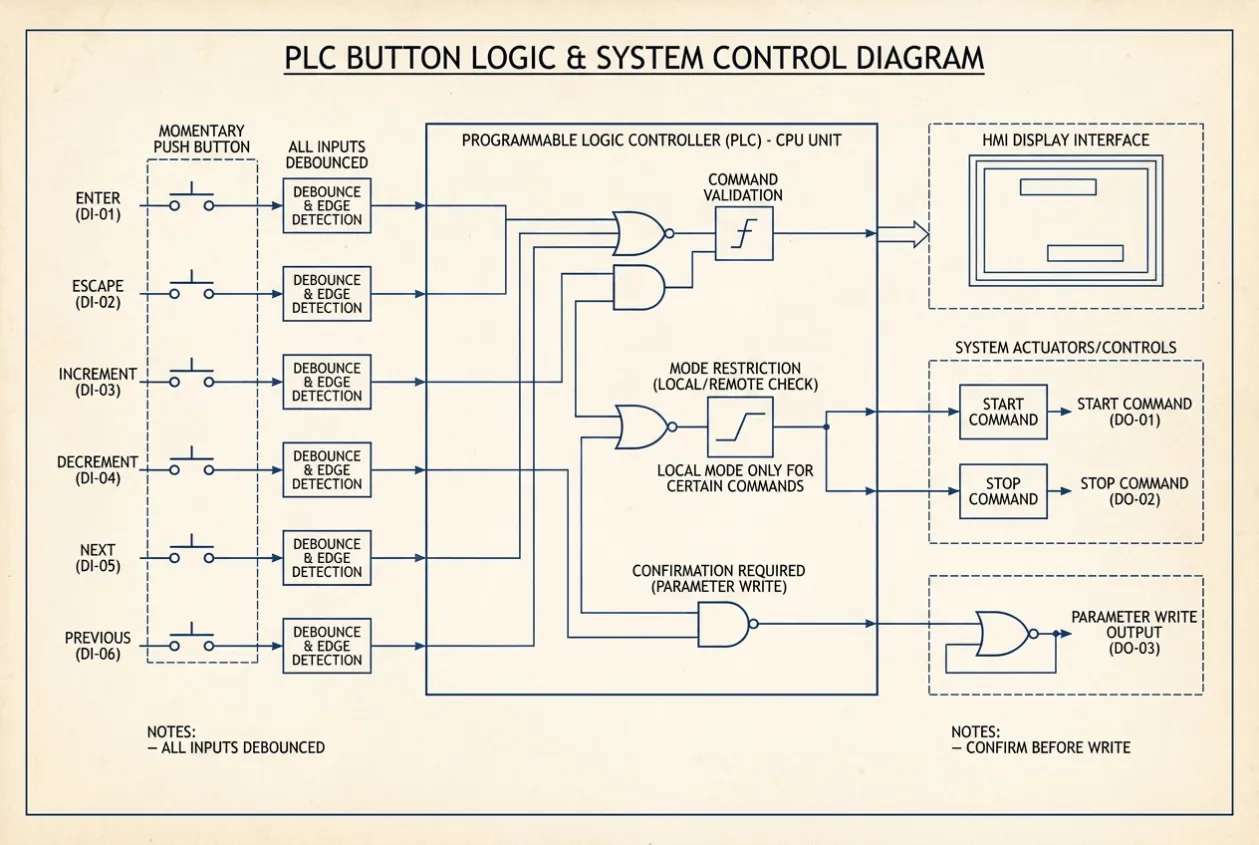
The panel also included standard control functions for the chemical dosing system, such as motor or pump command signals, status feedback, alarm inputs, permissive logic, and interlocks. The HMI provided visibility, but the PLC remained the control authority.
The wiring layout was kept simple and serviceable. Digital inputs from push buttons were clearly labeled. Terminal numbers matched the drawings. Each button function was identified on the enclosure front so that operators did not have to memorize hidden logic.
This was not a complex solution in hardware terms. Its value came from matching the technology to the environment.
Before Shipment Verification
Before shipment, we carried out verification focused on both electrical function and operator usability.
For this project, FAT was especially important because the HMI could not be tested only by touching the screen on the workbench. We had to test it the way the operator would actually use it onsite: through push buttons.
Our verification included:
Verification Activity | Why It Mattered |
|---|---|
Wiring inspection | Confirmed each push button was connected to the correct PLC input |
Button function test | Verified Enter, Escape, Increment, Decrement, Next, and Previous logic |
PLC input status check | Confirmed stable input detection and correct signal mapping |
HMI navigation test | Proved that screens could be operated without direct touch |
Parameter change test | Confirmed values could be adjusted safely and intentionally |
Alarm acknowledgement test | Verified alarms could be acknowledged locally |
Start/Stop test | Confirmed local operation worked under permitted conditions |
Mode selection review | Checked local and remote control behavior |
Label inspection | Ensured button labels matched actual PLC and HMI functions |
Documentation review | Confirmed drawings, I/O list, and operating instructions were consistent |
Enclosure inspection | Checked glass window visibility, door sealing, and device mounting |
Packing inspection | Protected the panel and external operators during transport |
During testing, we found that some HMI screens were too touch-oriented. They worked well when tested directly on the HMI, but they were not convenient when operated through Next and Previous buttons. We corrected this before shipment by simplifying the screen flow and reducing unnecessary navigation steps.
This was an important finding.
A push button HMI interface should not be designed like a normal touch interface. The operator should not need twenty button presses to reach a common function. Frequently used screens must be close to the main menu. Alarm acknowledgement must be easy to reach. Critical functions must require confirmation, but not confusion.
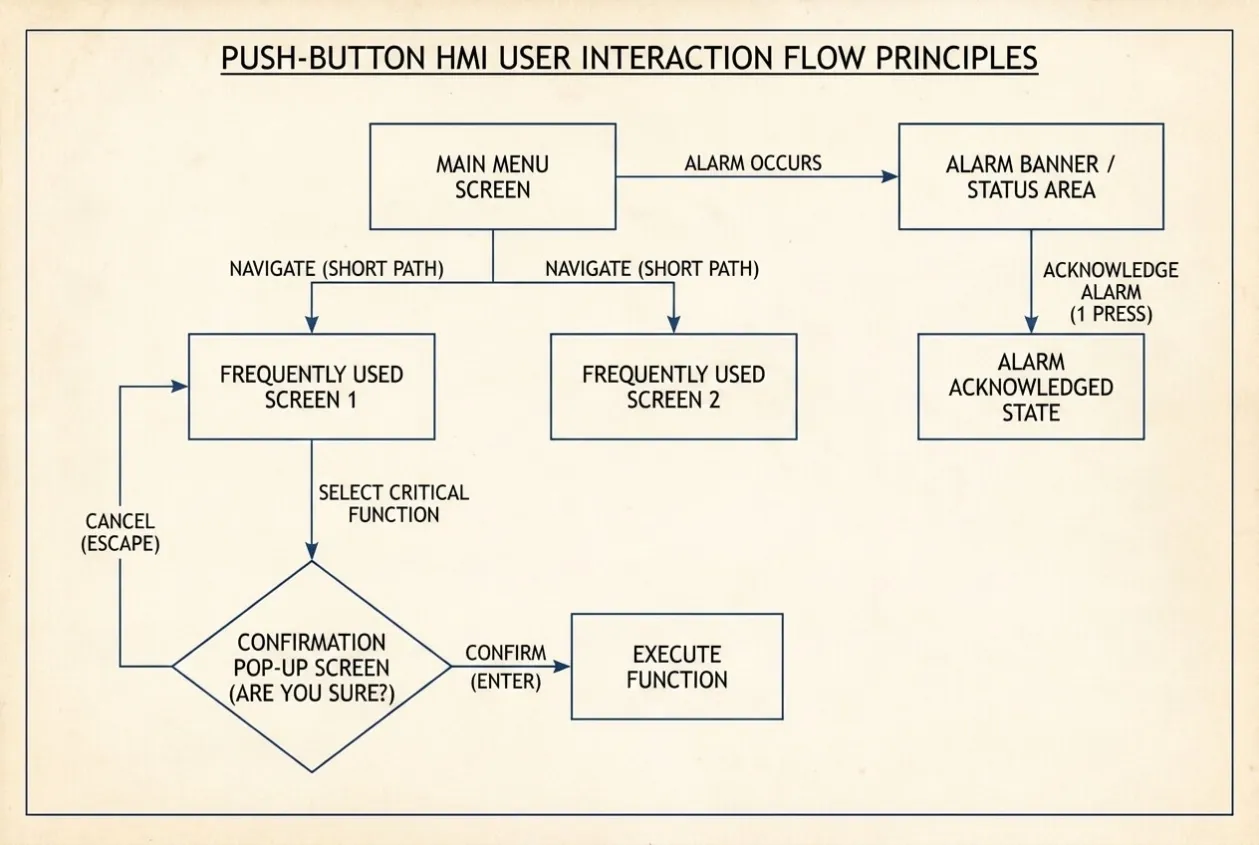
We also adjusted button response timing. If the button response is too fast, one press may move through multiple items. If it is too slow, the operator loses confidence. The PLC debounce and edge detection settings were tested until the navigation felt stable.
The FAT proved that the panel could be operated safely and practically without touching the HMI.
Project Results
The project delivered a local HMI[^4] solution suitable for a Zone 1 hazardous area[^1] chemical dosing application without compromising hazardous area protection.
The operator could view the process through the flameproof enclosure[^2] window and use dedicated push buttons to perform the required functions. The system supported screen navigation, parameter adjustment, alarm acknowledgement, and start/stop operation through PLC digital inputs[^5].
The solution improved reliability because it avoided external touch accessories that could become weak points in a hazardous environment. It also improved maintenance because each push button input could be tested directly from the PLC. If a button failed, troubleshooting would be straightforward.
Commissioning was also smoother because the operating method was clear. The site team did not need to open the enclosure for normal operation. The HMI remained protected, and the operator interface remained available.
The final result was a practical control panel that matched the real working environment. That is the point of good engineering. A solution should not only work in theory. It should work for the technician standing in front of the panel while complying with applicable IEC 60079 hazardous area standards[^3].
Engineering Notes from Natalie
This project reminded me that operator interface design is not only a software task. It is a field engineering task.
A touch HMI looks simple in the office. We can build nice screens, add buttons, use colors, and arrange menus. But once that HMI is installed behind flameproof glass in a Zone-1 area, the whole interaction changes.
The best question to ask is, "How will the operator actually use this?"
I have seen panels where the display was visible but the operation was not practical. That usually happens when the designer thinks about components instead of environment. In hazardous areas, the enclosure, certification, access method, and operator behavior all shape the final design.
I like the pushbutton navigation method because it is easy to understand and easy to maintain. It is not fancy, but it is dependable. In many industrial projects, "dependable" is better than "impressive."
Good HMI design starts with the operator’s hands, not only with the screen.
Lessons Learned
1. A touch HMI behind glass becomes a display
When an HMI is installed inside a flameproof enclosure, direct touch operation may no longer be possible. Engineers must review the actual installation method before finalizing the interface design.
2. Hazardous area usability must be designed early
Zone-1 requirements affect more than enclosure selection. They affect how operators start, stop, acknowledge alarms, adjust settings, and respond to faults.
3. PLC push button navigation is simple but powerful
Dedicated push buttons wired to PLC digital inputs can provide reliable HMI navigation without compromising hazardous area safety.
4. HMI screens must match the input method
A button-operated HMI should have simple menus, clear screen flow, highlighted selections, and fewer unnecessary navigation steps.
5. Parameter changes need intentional confirmation
Increment and Decrement buttons should not write values accidentally. Good logic requires selection, adjustment, confirmation, and safe operating limits.
6. FAT must simulate real operator behavior
Testing the HMI by touching the screen is not enough. The system must be tested using the same push buttons the operator will use onsite.
Key Takeaways
✔ A touch HMI is not always touchable in hazardous area installations.
✔ PLC-configured push buttons can provide safe and reliable HMI navigation.
✔ Operator interface design must match the actual field environment.
Need Similar Support?
If you are designing a Zone-1 control panel, flameproof HMI enclosure, chemical dosing skid, PLC system, or hazardous area operator interface, share your drawings, I/O list, operating sequence, and site classification before fabrication.
A practical engineering review before panel building can prevent unsafe access, unusable HMI layouts, commissioning delays, and field modifications.
Related Articles:
HMI Panel Brands: Which Platform Fits Your Application
Buyers searching for the “best” industrial HMI brand are usually really asking a narrower question: which platform matches the PLC ecosystem, the environment and the support structure they already run. There is no single winner — the table above of the five brands buyers most often ask us to quote shows where each one typically fits, based on their publicly documented product positioning and what we see in procurement requests.
Brand | Known for (industrial HMI) | Often chosen when |
|---|---|---|
Siemens (SIMATIC HMI) | Comfort / Unified panel ranges; tight TIA Portal integration with S7 PLCs; large global service network | Plants standardized on Siemens S7 / TIA ecosystems |
Schneider Electric (Harmony) | Harmony iX / HMIX ranges; natural fit with Modicon controllers; wide distribution availability | Modicon-based machines and OEM retrofit programs |
ABB (CP600 / Panel Builder ranges) | Strong process-industry orientation; proven in energy, marine and water utilities | Water, energy and continuous process applications |
Rockwell / Allen-Bradley (PanelView) | PanelView ranges wired into FactoryTalk and Logix PLC ecosystems; deep North America support | US / North America plants running ControlLogix fleets |
Honeywell | Process HMI heritage around Experion and legacy DCS environments | Refineries, petrochemical and continuous process sites |
Two practical notes matter more than brand ranking. First, mixed-vendor fleets are common after mergers and retrofits — replacement HMI availability for obsolete models is often the real sourcing constraint, not the brand badge. Second, “local support” depends on where the panel is installed, not where the brand is headquartered. UniRegal sources and integrates HMI panels around all five platforms as a sourcing partner — panel build, component sourcing, FAT before shipment, MOQ from 5 units — or send us your HMI requirement for a quotation with the PLC model, screen size and cutout dimensions.